Free timesheets for consulting firms

Log hours and expenses, and approve the week. Free for your whole team. Add project management, CRM or HR later, each on its own.

Open the live demo

Free. No card needed.

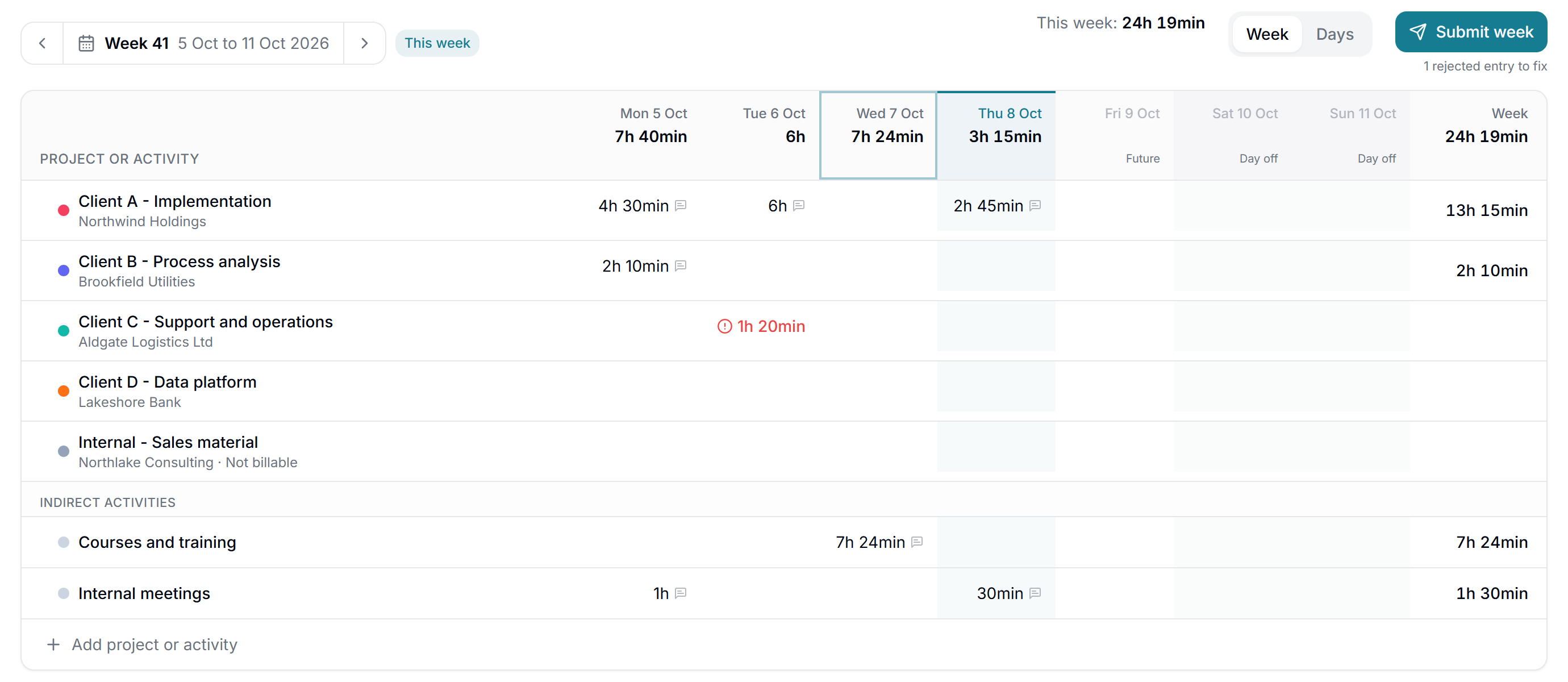
The Matrix weekly timesheet: hours per project and activity for each day of week 41, with a week total of 24 hours 19 minutes and a Submit week button.
The real Matrix timesheet, with sample data.

Timesheet is free. All of it.

For every user, with no limits. Approvals, expenses and utilisation are part of the free Timesheet, not a paid plan.

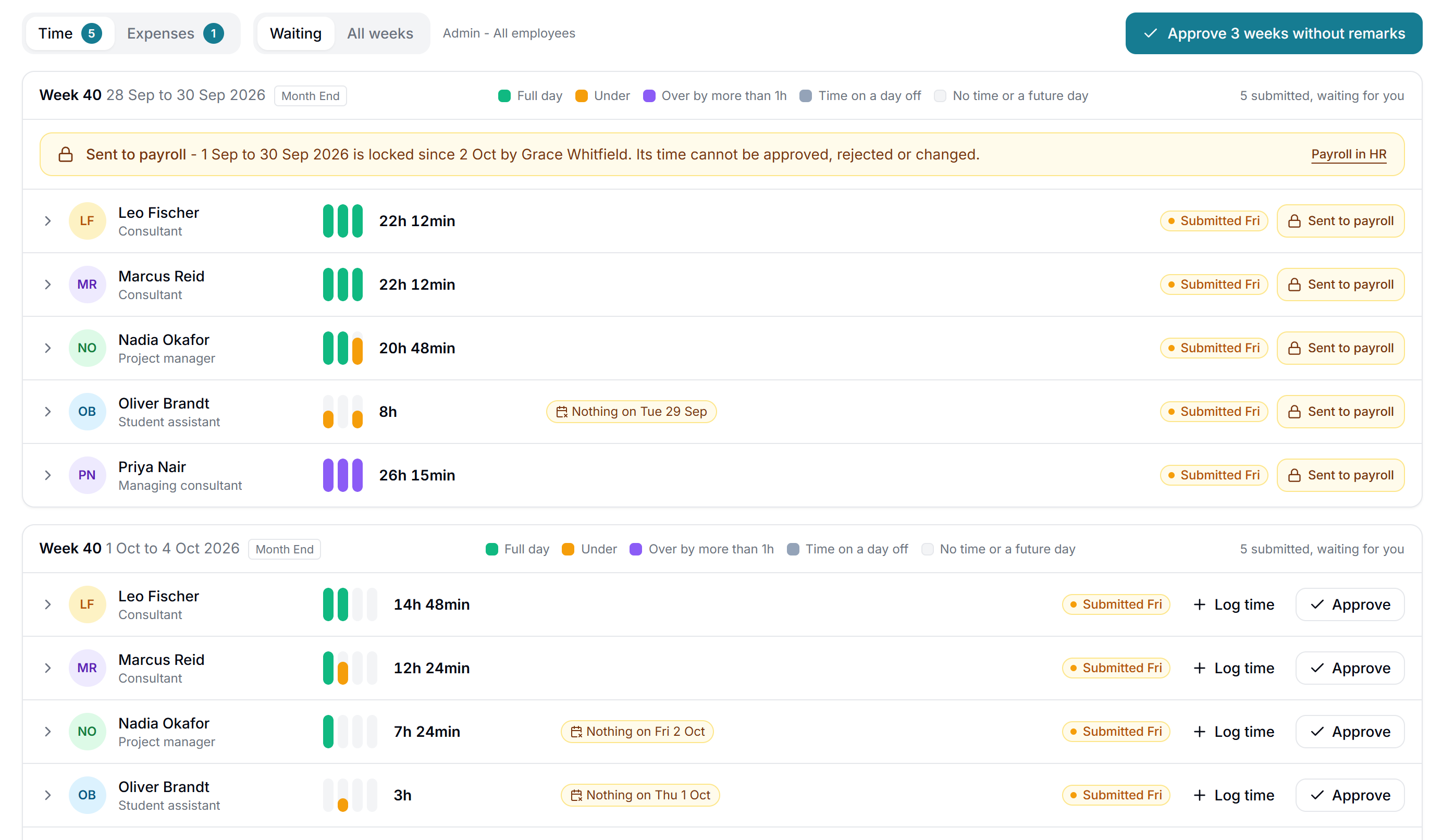
Matrix approvals: September locked after it was sent to payroll, and the next weeks waiting with an Approve button on each.
  • Free for everyone

    Every employee in the firm logs time for free. Approvals, locked periods, expenses with receipts and the change history are all included.

  • Billable hours

    Utilisation for each employee, team and week: billable hours against the hours employees had. Export it to Excel or PDF.

  • Filled in

    Outlook meetings and the Windows app suggest the time, and employees approve it. A timer, the week sheet or just the total.

  • Ready for payroll

    Empty days are caught before the week is submitted. Approve line by line. A closed payroll period reopens only with a logged reason.

Also free

  • Expenses with a photo of the receipt
  • Mileage at your own rate, any currency
  • Matrix on your phone, from the browser
  • Reminders for a forgotten timer
  • Your own required fields
  • Export to Excel and PDF

Only pay for what you use

Choose the parts your firm needs. The receipt adds them up.

Which parts do you need?

Company-wideEUR 1 per employee, per month

How many employees?

15

ModulesEUR 9.99 per user with access, per month

  • Free
  • 4users
  • 0users
  • 0users

Your Matrixper month

  • TimesheetFree
  • Standard hours15 × EUR 1EUR 15
  • Projects4 × EUR 9.99EUR 39.96

Included when combined

  • Hours spent per project

TotalEUR 54.96

Average per employeeEUR 3.66

Modules are paid only for the users who use them. Company-wide parts are paid per employee. Prices are in EUR. We do not charge VAT; where your country applies the reverse charge, you account for the VAT yourself.

Project management

Run every project from plan to paid

Projects, tasks, invoices, cashflow and risks in one module. It works on its own, and you pay only for the users who use it.

EUR 9.99 per user with access, per month

Try it free for 7 daysSee pricing

More about Project management

See every project at a glance

  • Progress, budget and the team on one page
  • All projects as a table, cards, a board or a timeline

Budget and profit with Costs and rates

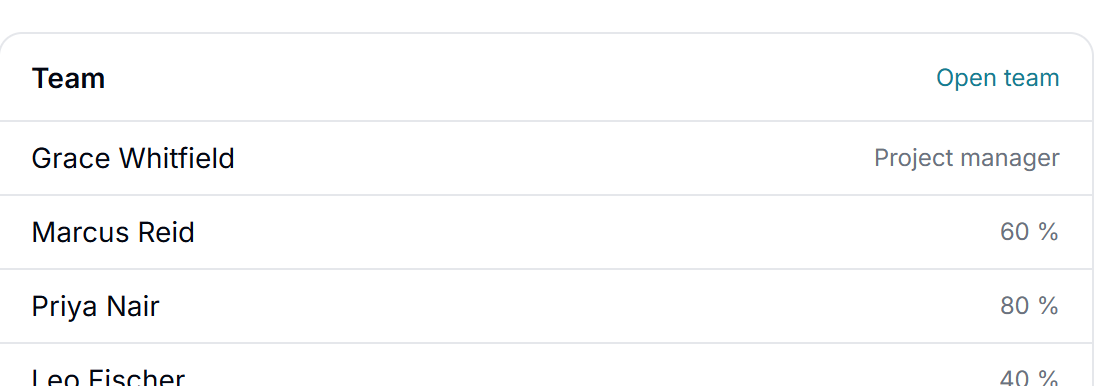
A project's progress in hours, its budget used and its forecast profit.The project team with each employee's share.

Plan the work

  • Tasks as a list, a board or a timeline, with dependencies
  • Several employees per task, each with their own estimate
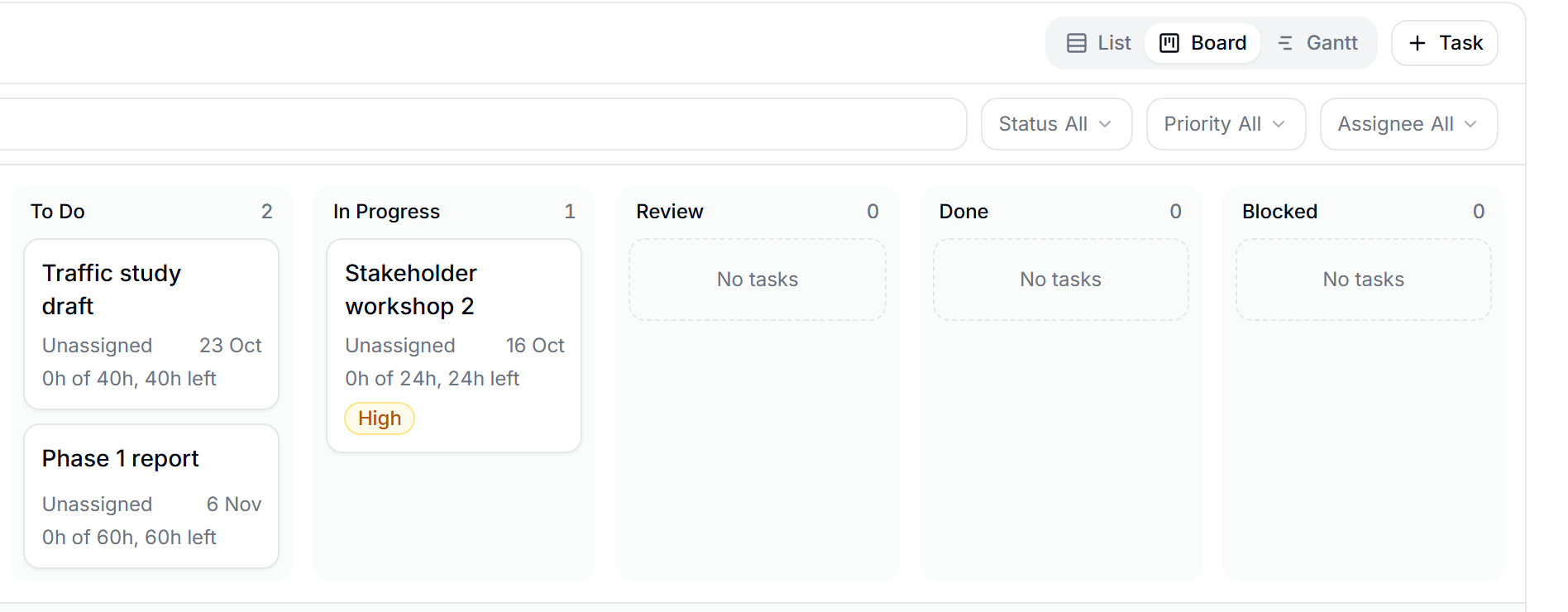
Tasks on a board with the List, Board and Timeline views, and hours used and left on each task.

Invoice from the plan

  • A billing plan with milestones or fixed intervals
  • Approval before an invoice is sent, and reminders before and after the due date
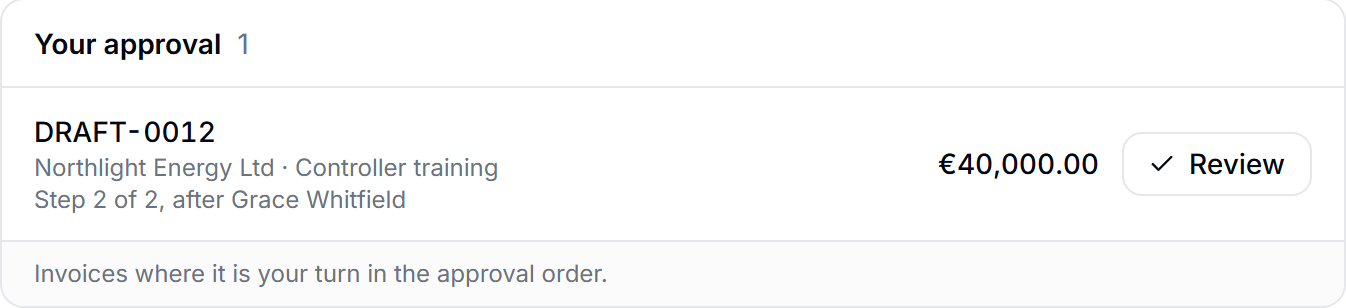
Money to collect, split by how late the invoices are.A draft invoice waiting for the second approval step.

See the money coming in

  • The payments you expect, week by week and month by month
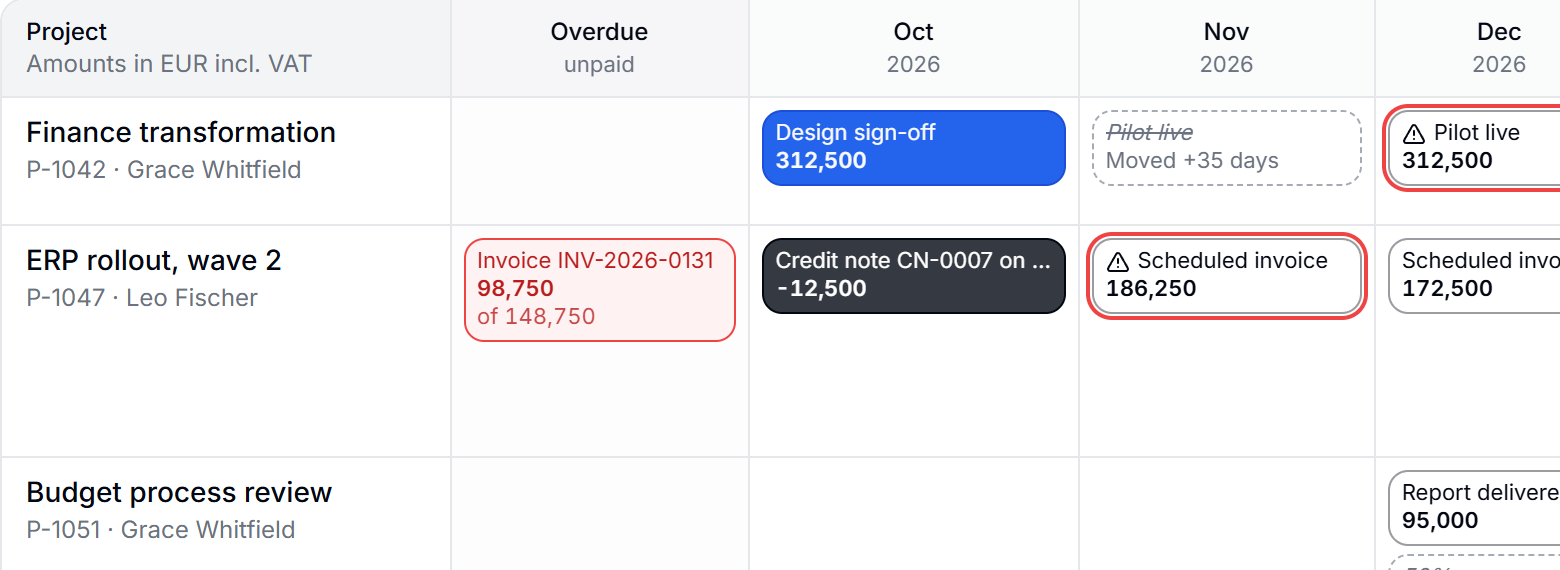
  • Payments that moved from the billing plan are marked
Money still to come in, overdue and paid.Expected payments per project and month, with moved payments marked.

Know what could go wrong

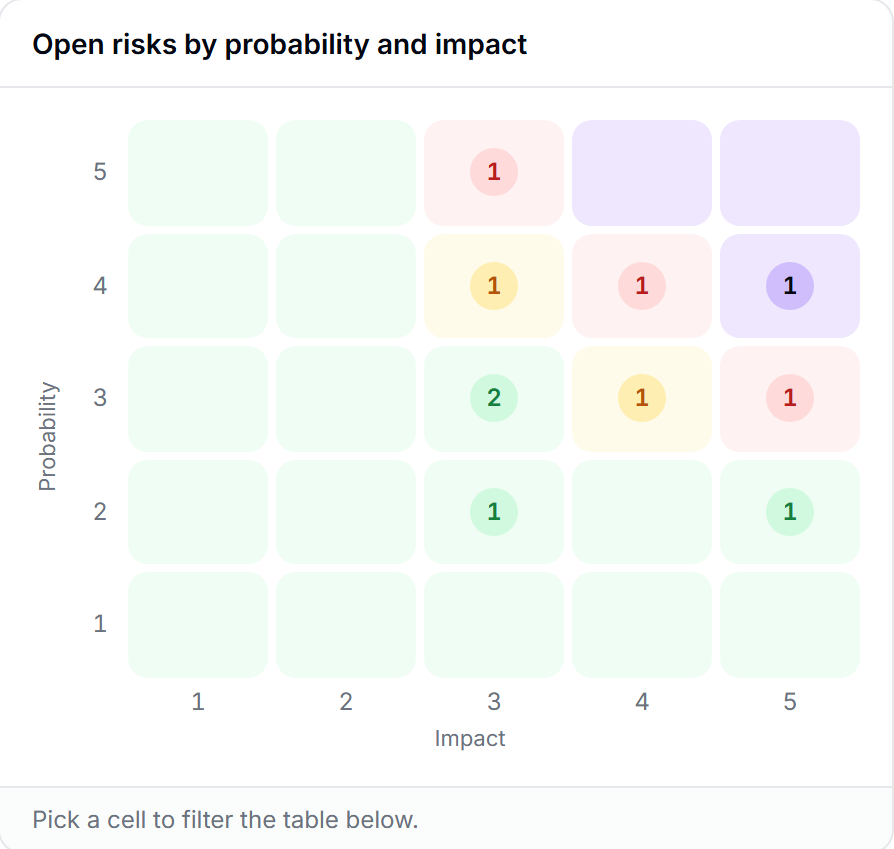
  • A risk log with a heat map of probability and impact
  • A high risk needs a plan before it is left alone
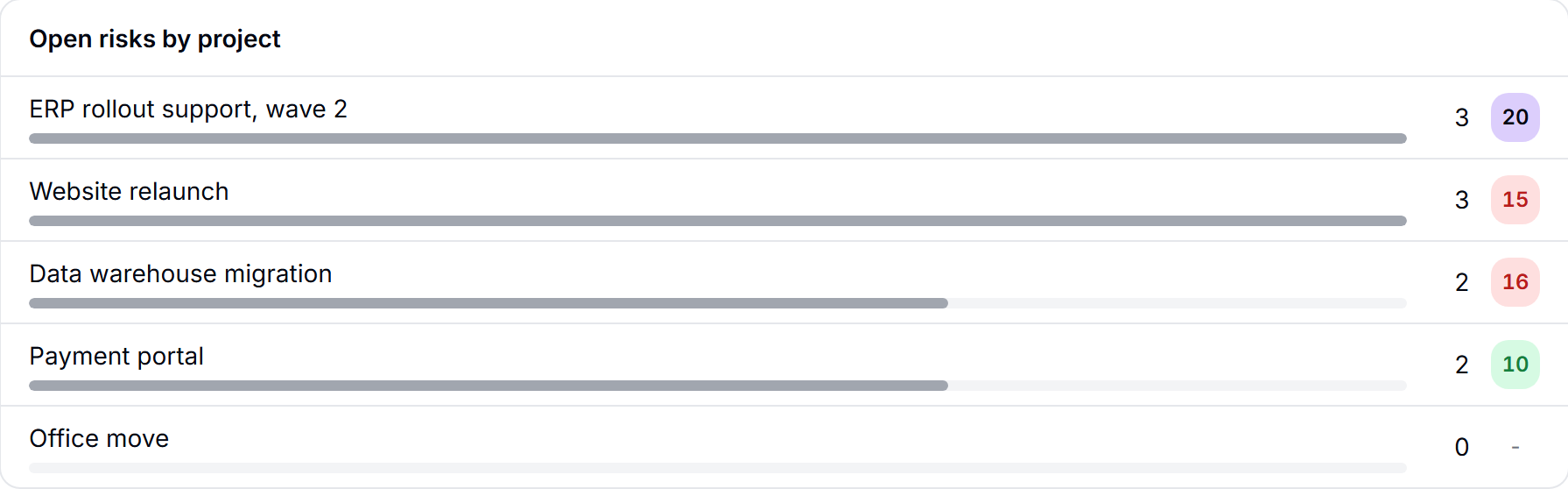
Open risks on a five by five heat map.Open risks per project, with the highest level.

CRM

Follow every lead until it is signed

Leads, deals, follow-ups, proposals and contracts in one pipeline. It works on its own, and you pay only for the users who use it.

EUR 9.99 per user with access, per month
Try it free for 7 daysSee pricing

More about CRM

Every deal in one pipeline

  • Every deal at the stage it has reached, as a list or a board
  • Your own pipelines, each with its own stages
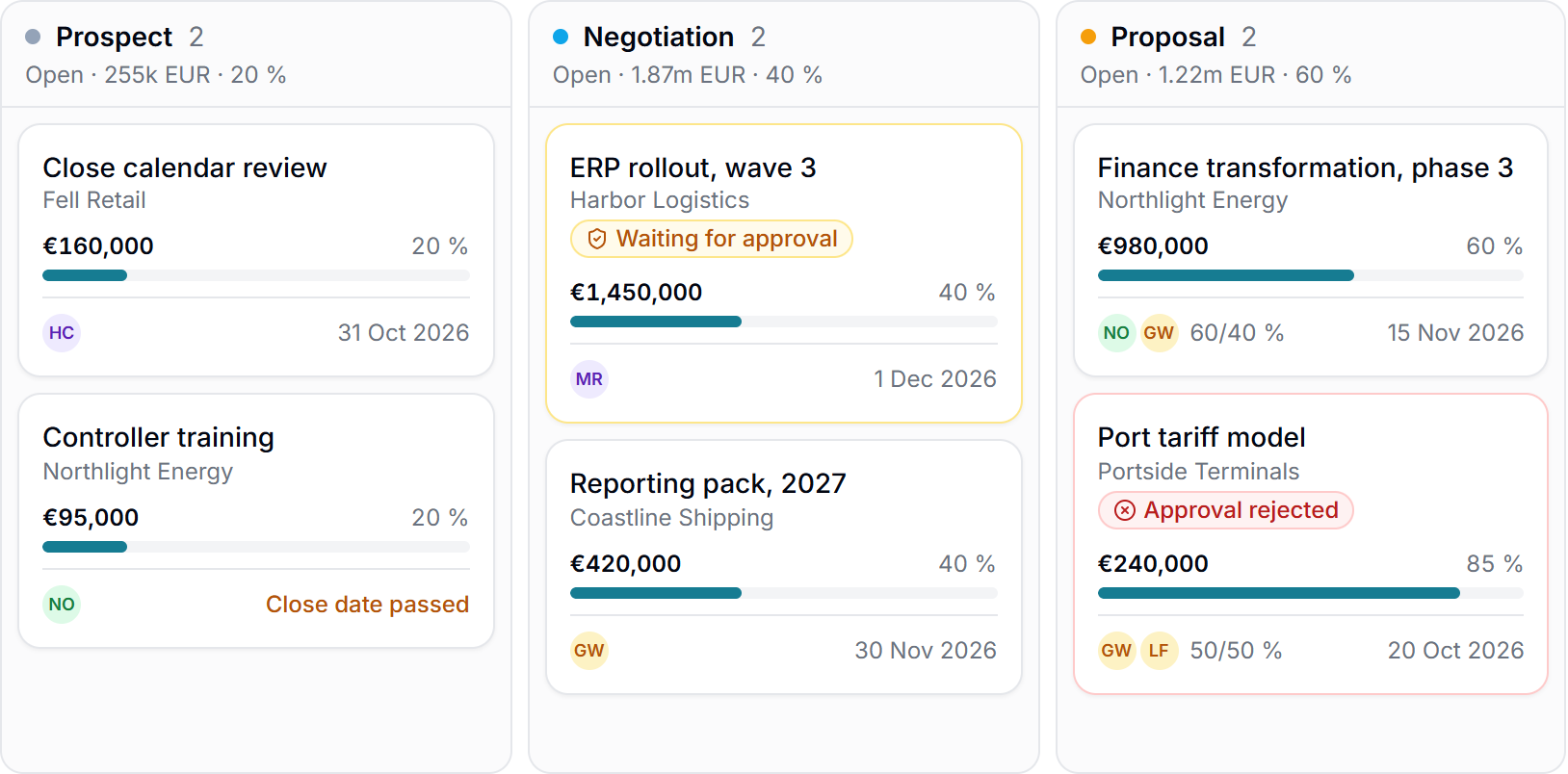
Deals on a board in Matrix CRM: each deal with its value, win probability, owner and close date, per stage.

Know who to follow up today

  • Today's follow-ups, stalled deals and leads without an owner on one page
  • A message when a customer has been quiet much longer than usual
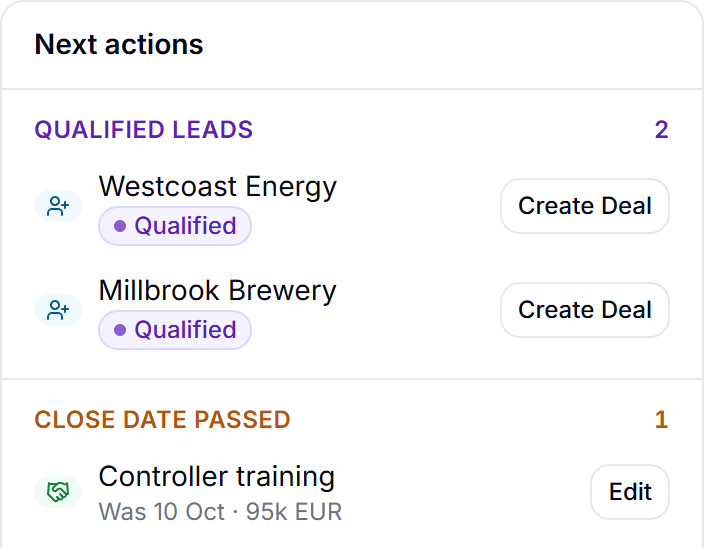
The CRM Today page: meetings waiting for a note, deals waiting for your approval, new leads and customers who have gone quiet.Next actions: qualified leads to turn into deals, a deal whose close date has passed and leads with no follow-up planned.

Email and meetings file themselves

  • Emails and meetings from Outlook land on the right contact and deal
  • Write to the customer from the deal, through your own Outlook
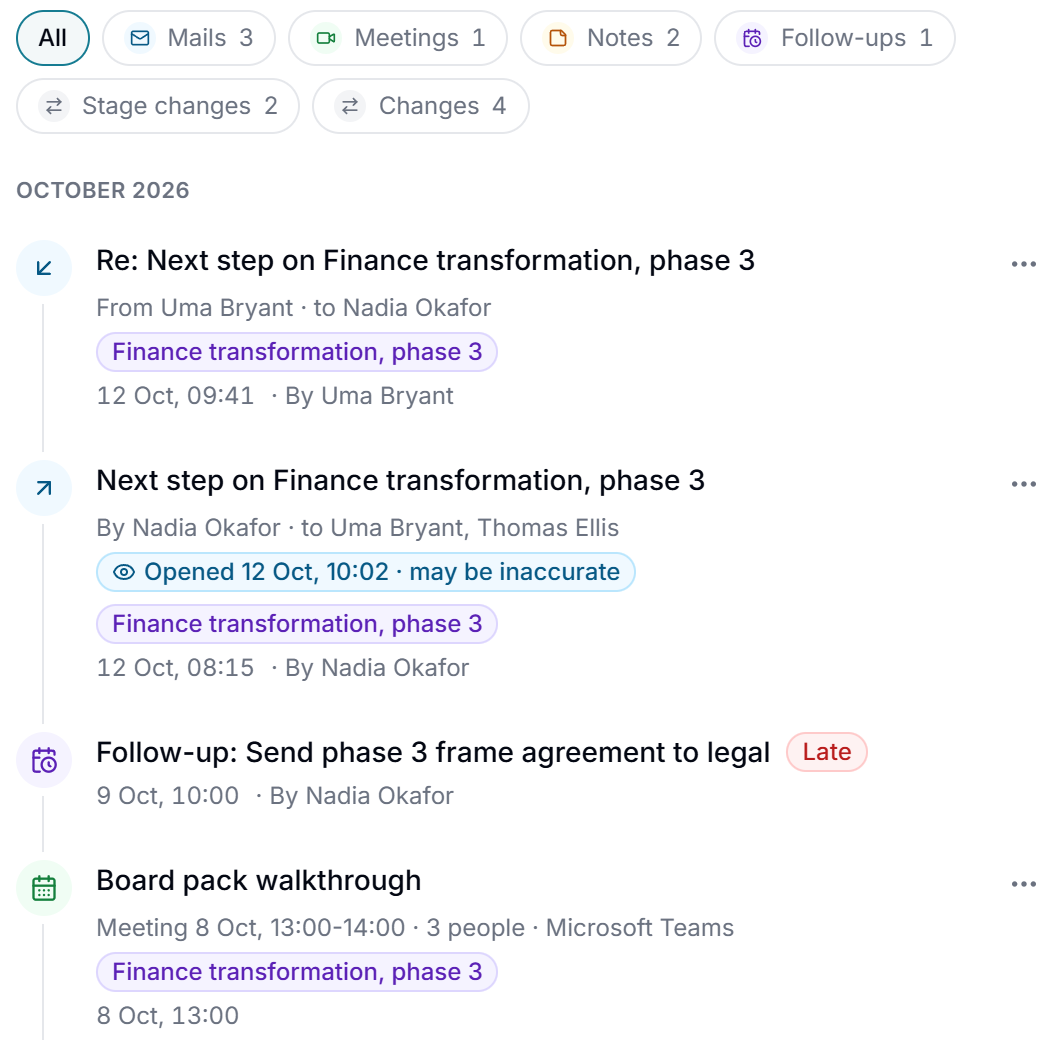
A deal's timeline in Matrix CRM with filters for emails, meetings, notes and follow-ups: an email received, an email sent and opened by the customer, and a meeting from Outlook, each filed on the deal.

Price the job before you send it

  • Lines with role, hours and rate, and the margin while you type
  • Below your margin target, a chosen role must approve

Rates and cost prices filled in with Costs and rates

A quote with three scenarios and, for the chosen one, price, cost, margin in euros and margin percent.

Signed online, and you see what was read

  • E-signature with a certificate, and the signed proposal becomes the contract
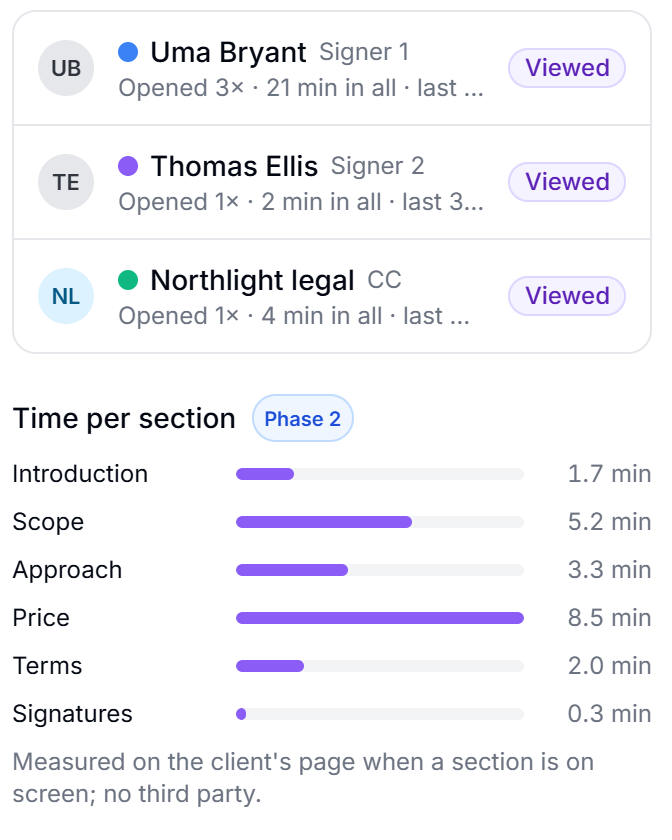
  • When the customer opened it and how long they spent on each section
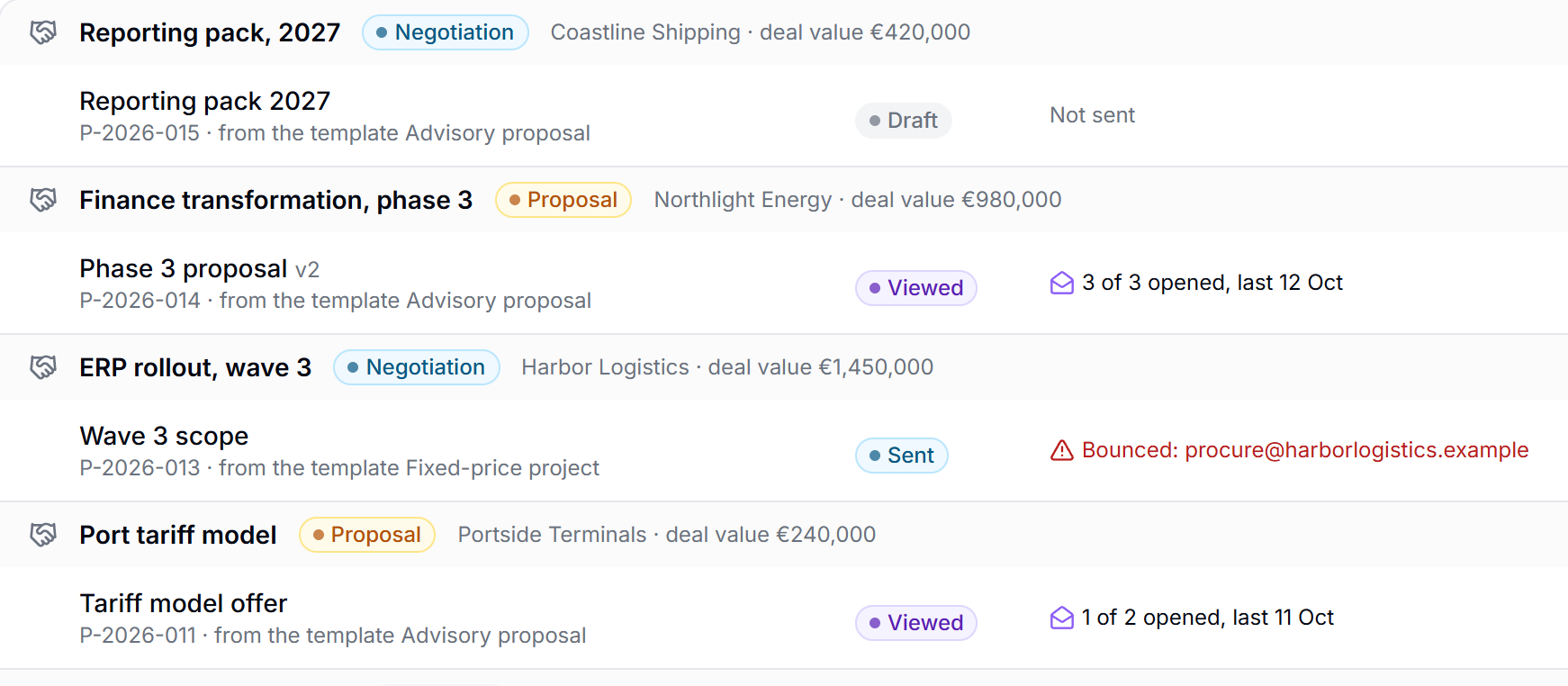
Proposal tracking: each signer's opens and minutes spent, and the time spent on each section of the proposal.Proposals grouped by deal: each with its status, how many have opened it, signatures so far and when it expires.

HR

Keep every employee record in one place

Records, documents, time off and checklists, seen only by the users who should see them. You pay only for the users who use it.

EUR 9.99 per user with access, per month

Try it free for 7 daysSee pricing

More about HR

Every employee on one page

  • Job, start date, working hours and their history
  • The national ID stored encrypted
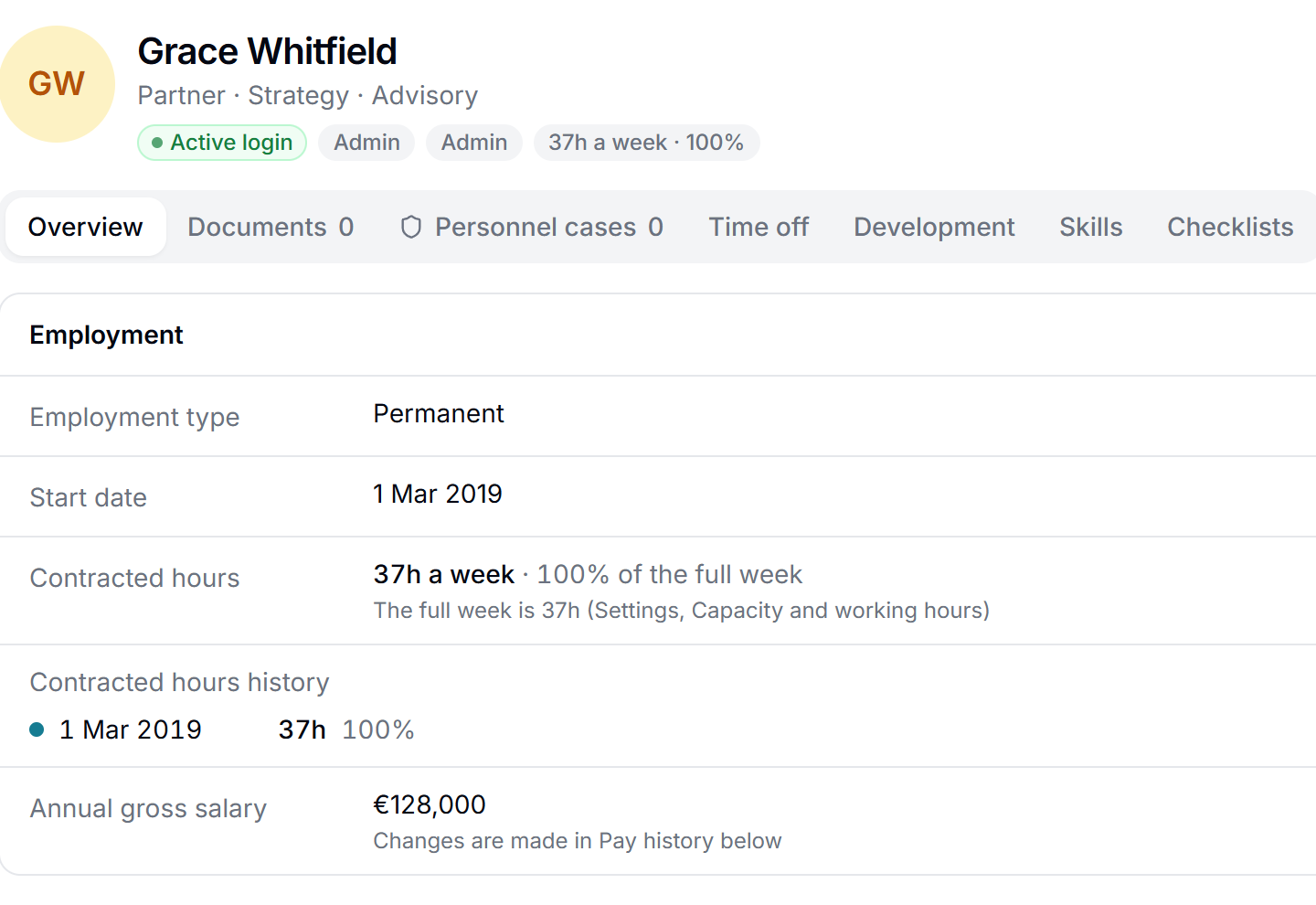
An employee in Matrix HR: employment type, start date, contracted hours, the history of the contracted hours, vacation left and salary.

Confidential papers stay confidential

  • Documents encrypted in the browser, each with a confidentiality level
  • Every opening of a case is logged, and employees can see who looked
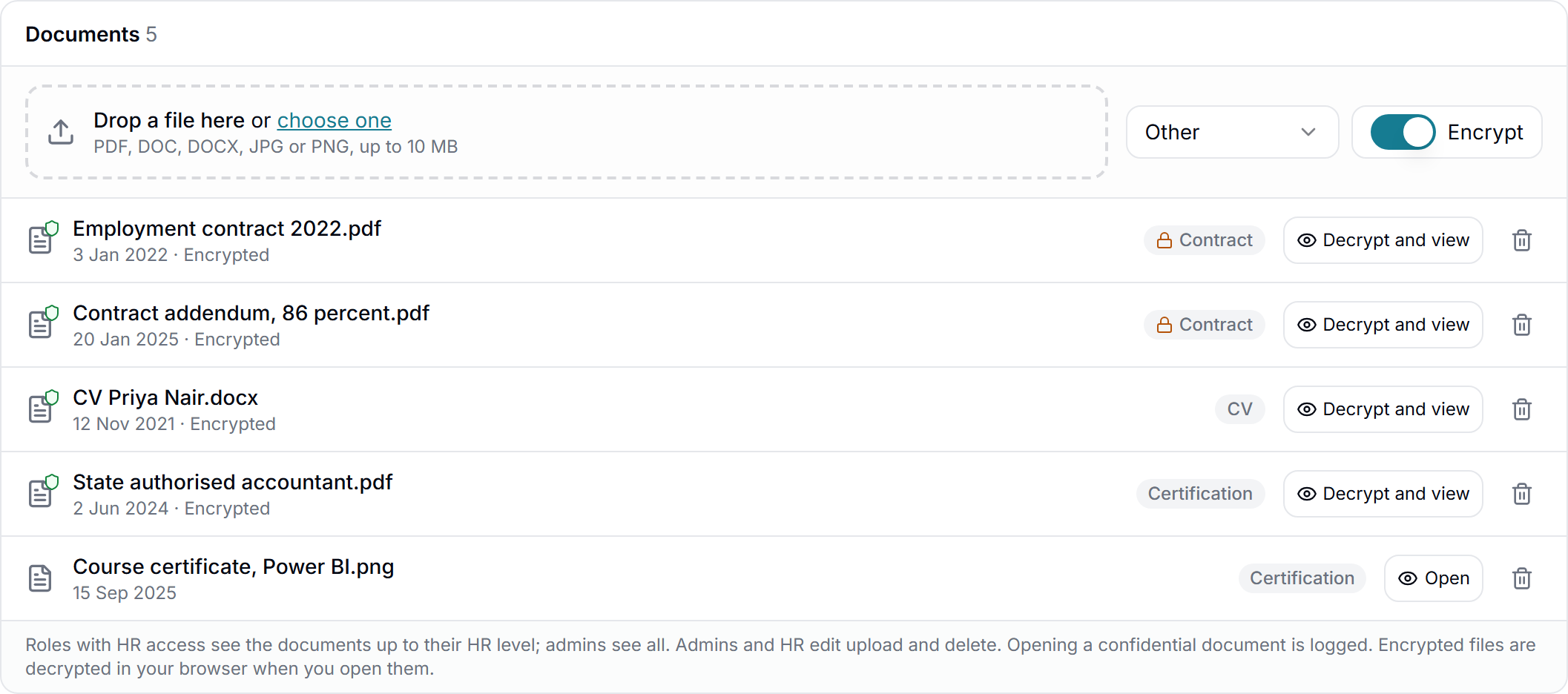
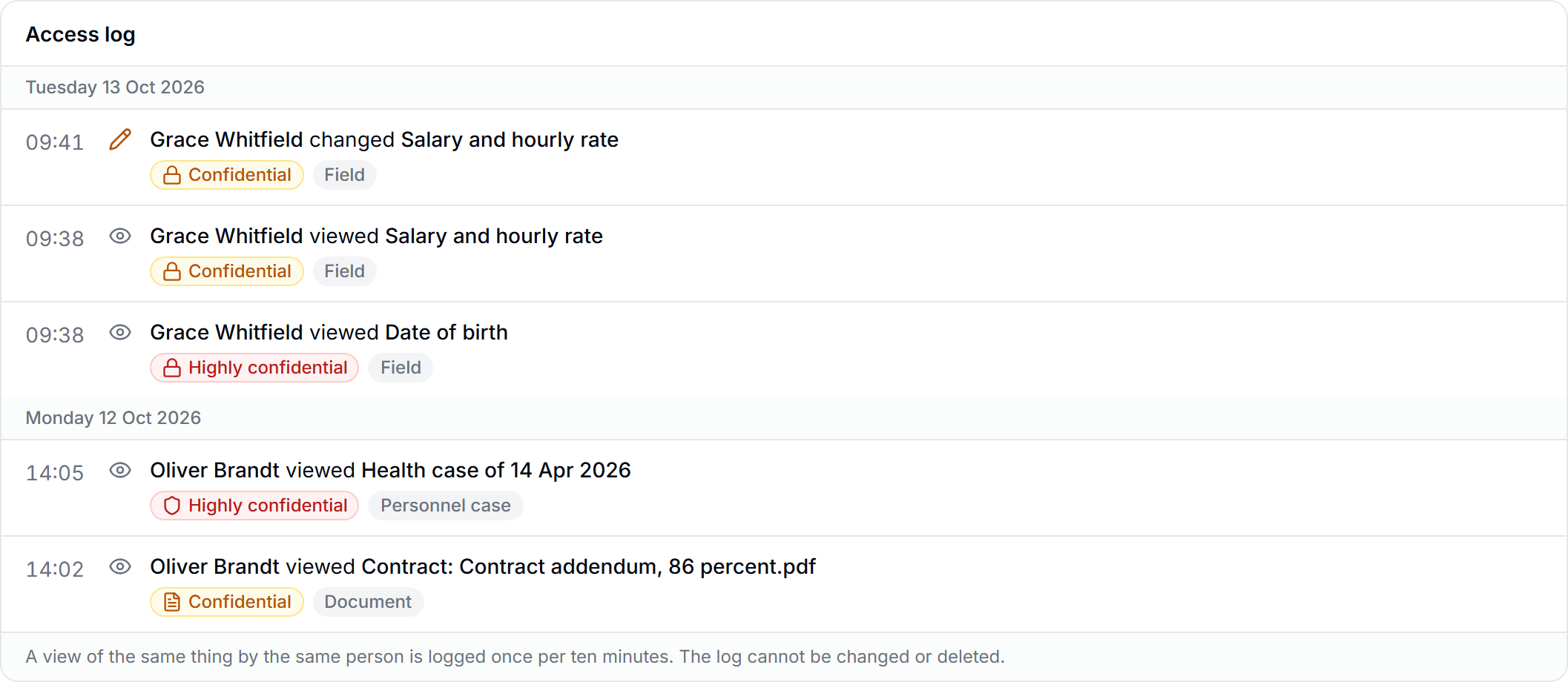
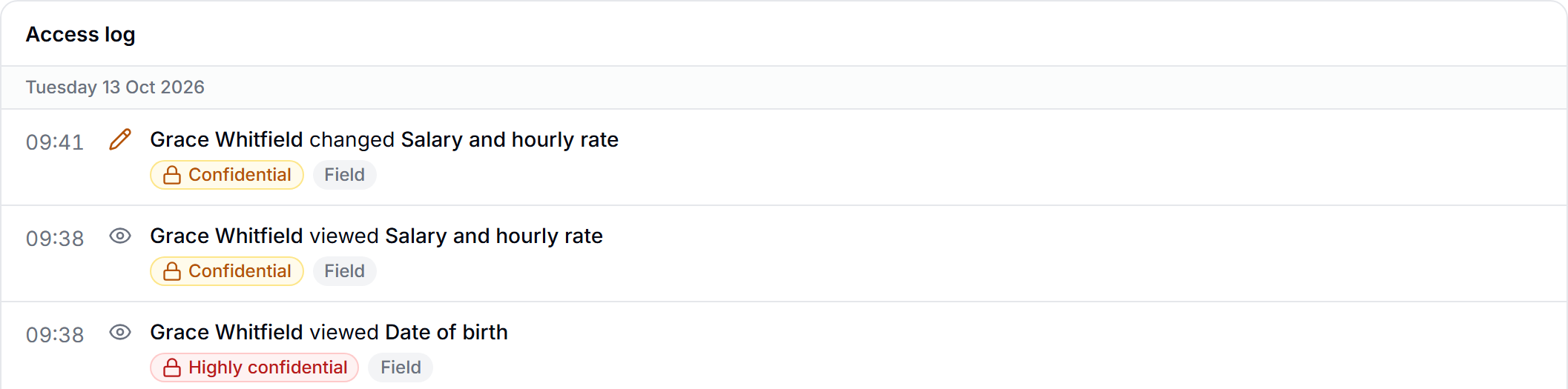
An employee's documents: contracts marked with a lock for their confidentiality level, each encrypted, with a Decrypt and view button.The access log: who viewed or changed a salary, a date of birth, a health case and a contract, with the time and the confidentiality level.

Time off without emails back and forth

  • The employee asks, the manager approves and sees who else is away
  • The balance on any future date, with planned time off taken off
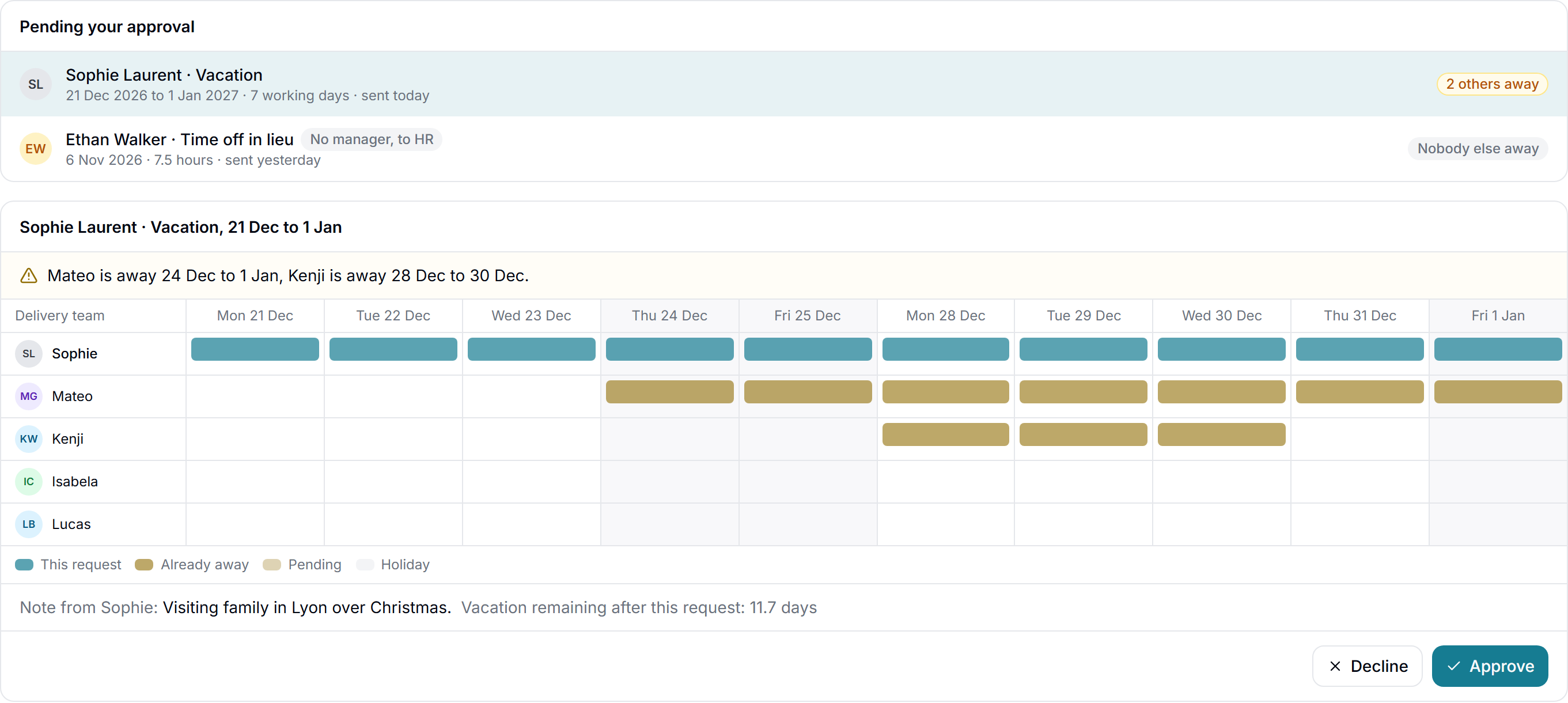
A vacation request waiting for approval, with a calendar of the team that shows who else is away on each day, and Reject and Approve buttons.

Reviews that are followed up

  • Your own questions, prepared by employee and manager
  • Agreed goals with an employee responsible and a deadline Matrix reminds of
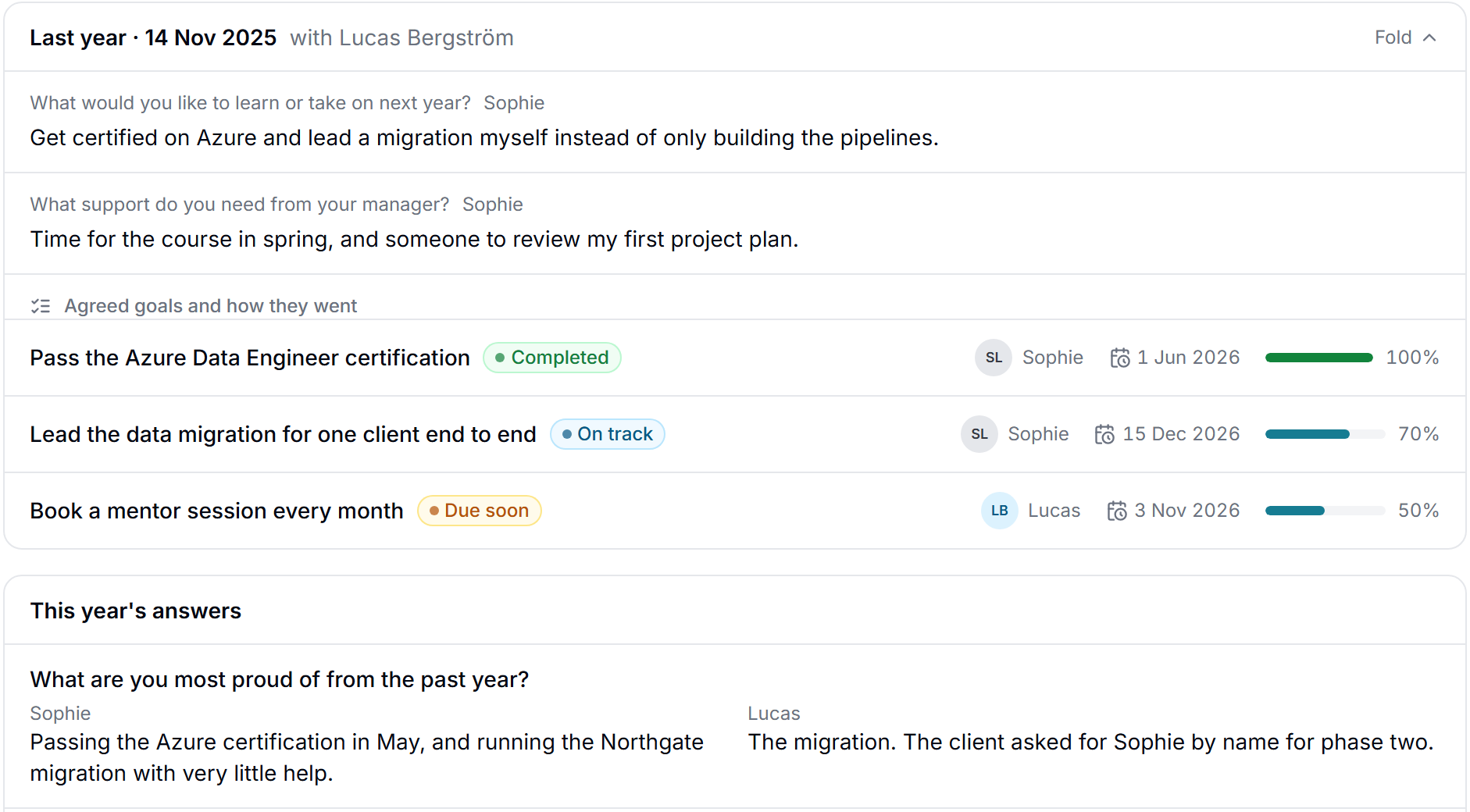
A development review: last year's agreed goals with owner, deadline and progress, and this year's answers from the employee and the manager.

Skills, certificates and key persons

  • Certificates with their expiry date, and a reminder before they run out
  • A warning when a critical skill is held by only one employee
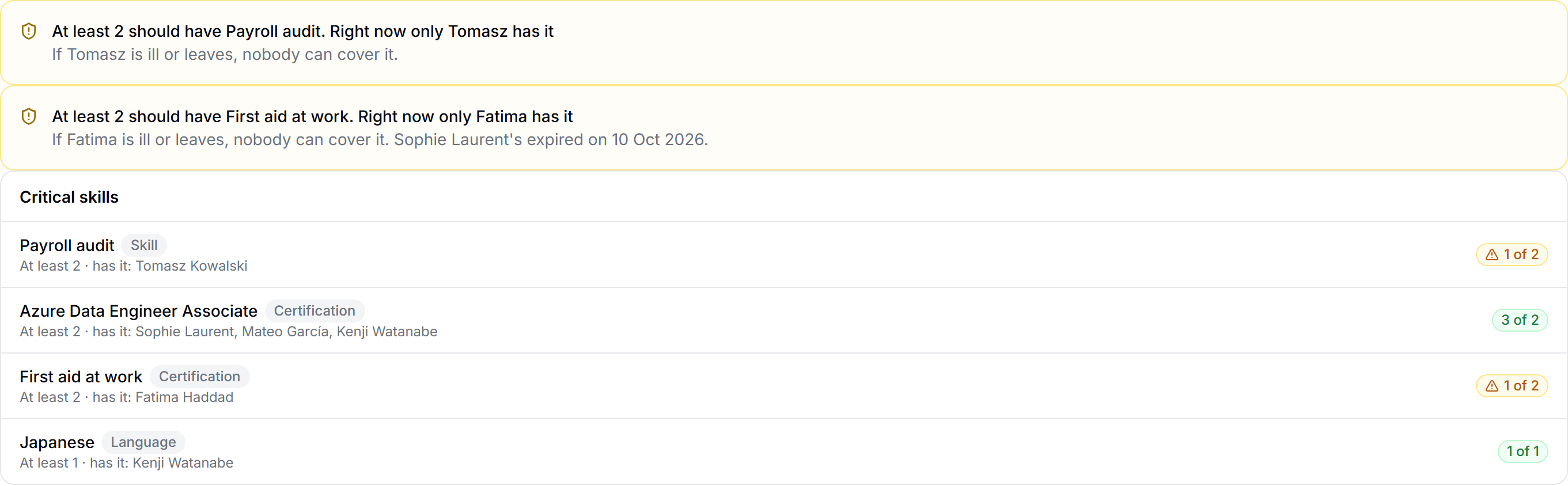
Certificates that expire within 60 days, with the expiry date on each and a Create task button.Key persons: warnings when a critical skill is held by only one employee, and the critical skills with how many have each.

Costs and rates

Know what an hour really costs

Salaries, overhead and company expenses become a real cost per hour, next to the hourly rates you charge.

EUR 1 per employee, per month
Try it free for 7 daysSee pricing

More about Costs and rates

A real cost per hour

  • Salary divided by billable hours, plus a share of the company's expenses
  • Updated by itself when salary, utilisation, holidays or expenses change
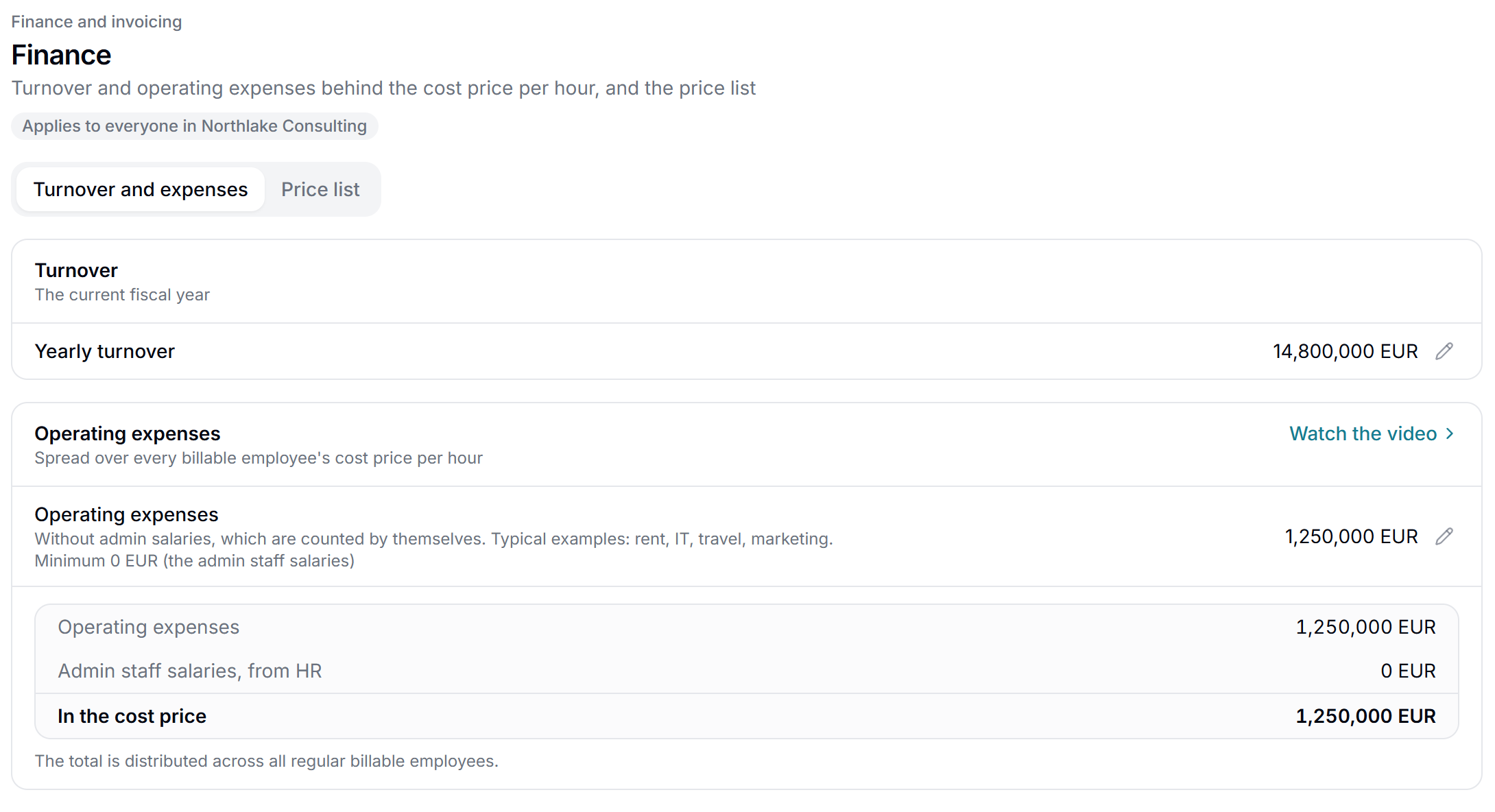
The Matrix Finance settings: yearly turnover and operating expenses that make up the cost price per hour.

Old hours keep their cost

  • The cost price is saved on every time entry
  • A salary change never rewrites the past
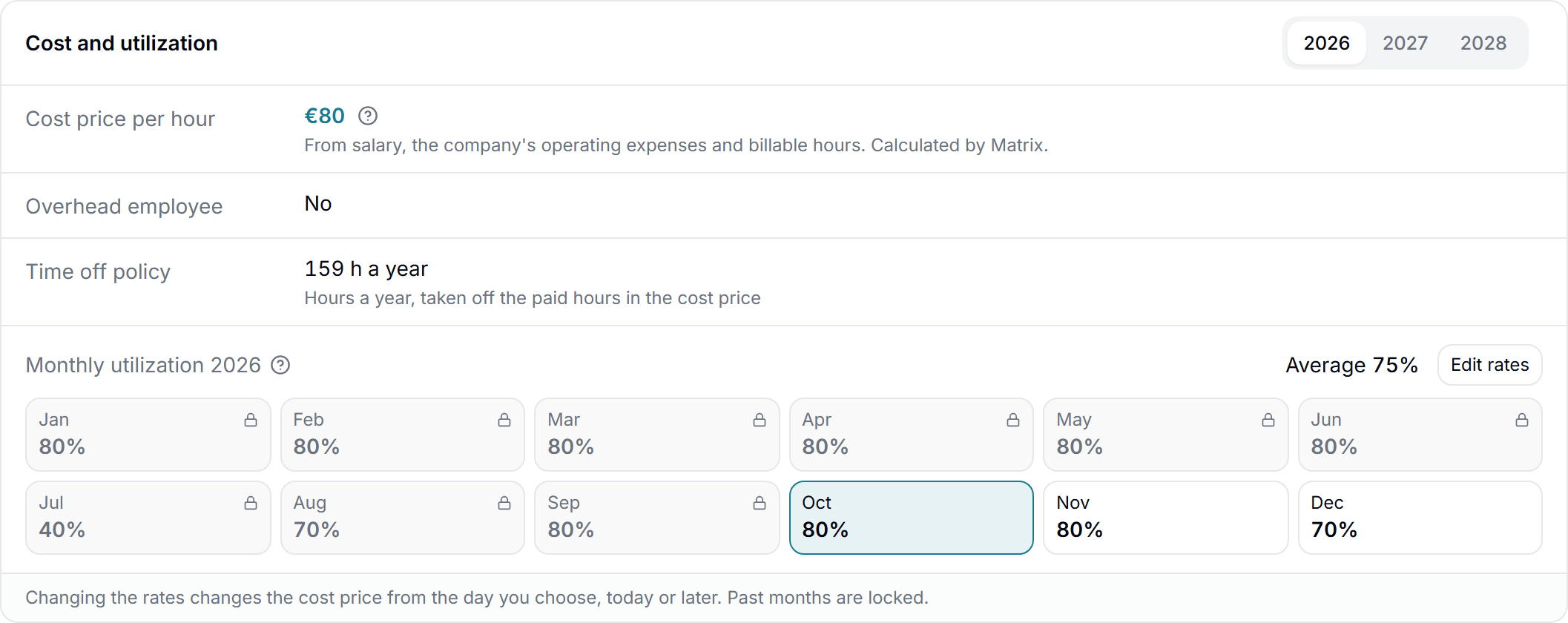
An employee's cost price per hour and monthly utilisation, with the note that changing the rates applies from the day you choose and past months are locked.

Utilisation you plan for

  • A planned utilisation for each employee, month by month
  • Actual against planned per employee and month

Actual hours with Timesheet, free

Planned utilisation per month for one employee, with the average for the year and locked past months.

Rates that cover your costs

  • Price groups with an hourly rate, and who belongs to which
  • A warning when a rate is under the employee's cost price

Price groups on projects with Project management
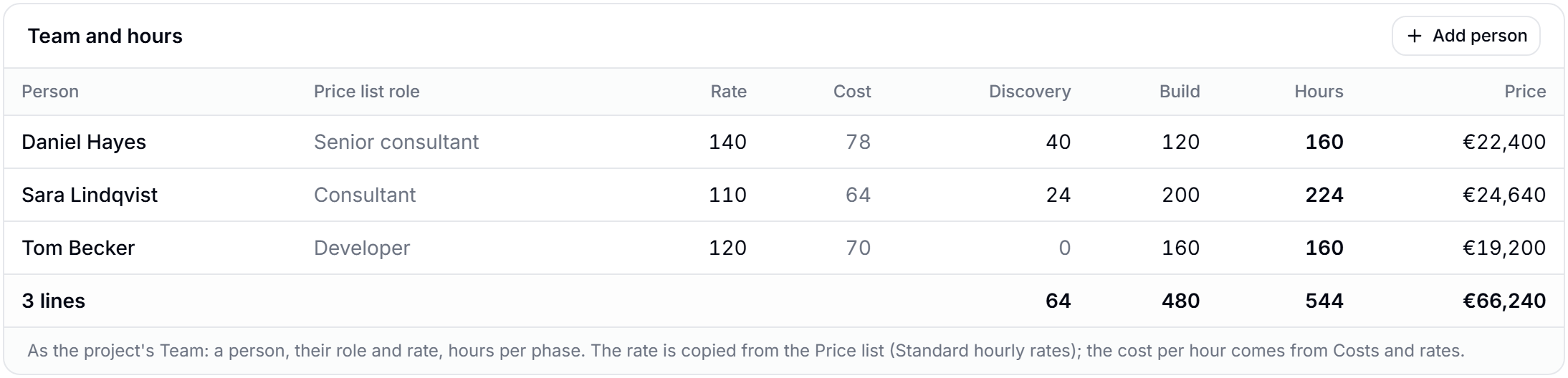
A team table with the hourly rate and the cost per hour for each employee, so the margin is visible before the quote is sent.

Only the right users see the numbers

  • Salary and cost price are confidential fields
  • Every view of them is logged
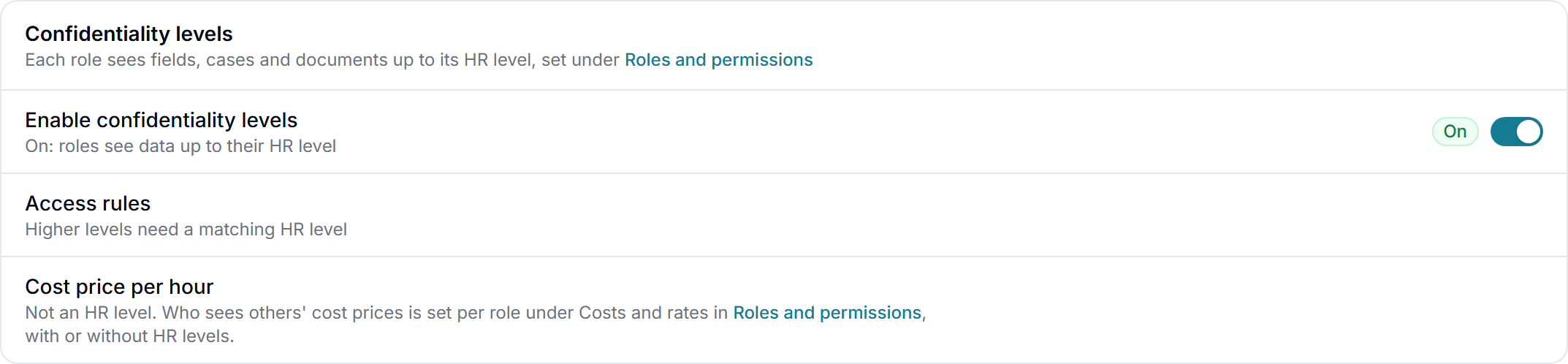
Settings for who sees cost price per hour and the HR confidentiality levels, with the switch turned on.The log of who viewed or changed salary and date of birth, with time and confidentiality level.

Allocation and Resources

See who is booked and who is free

Book each employee on a project in hours or percent, and see the weeks ahead before anyone is overbooked.

EUR 1 per employee, per month

Try it free for 7 daysSee pricing

More about Allocation and Resources

Who is booked and who is free

  • Day, week or month, with the colour showing how busy each employee is
  • Filters and search by team, department and project
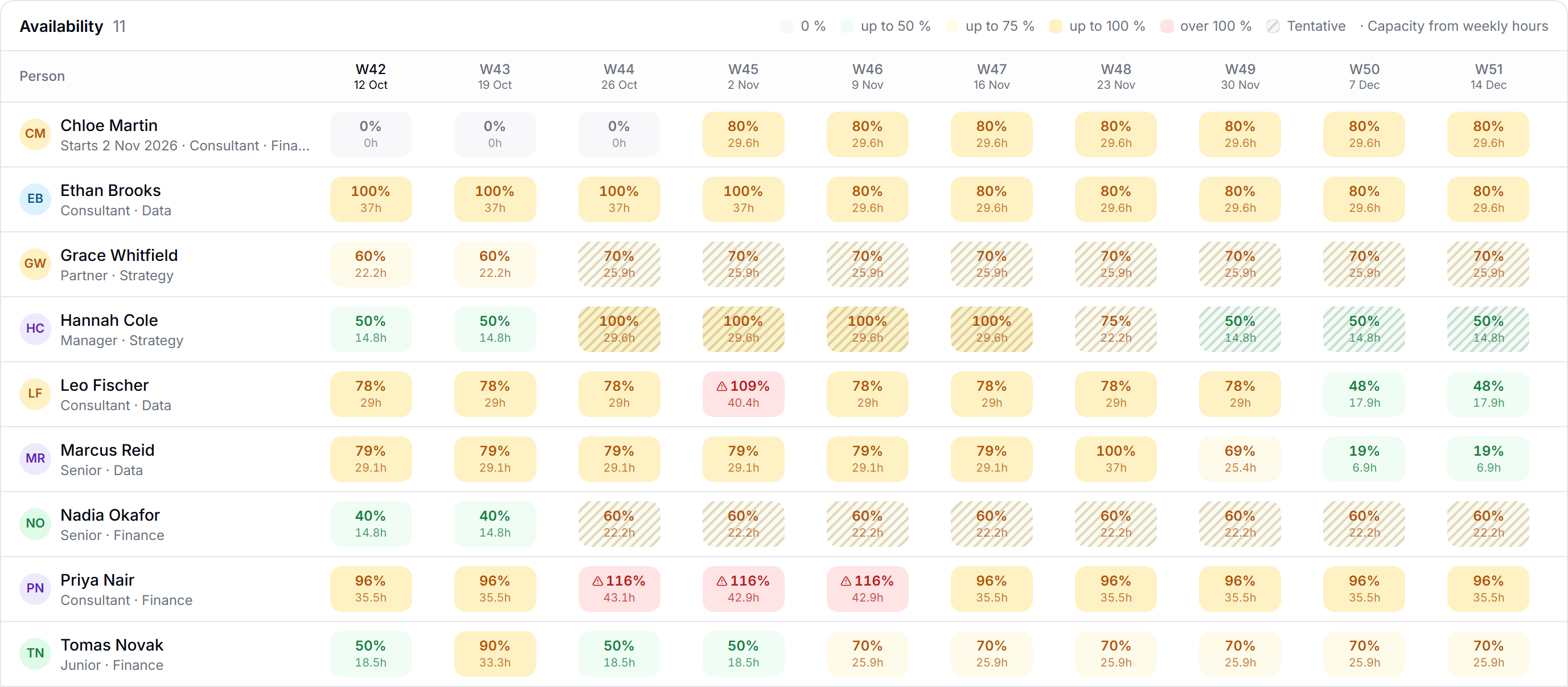
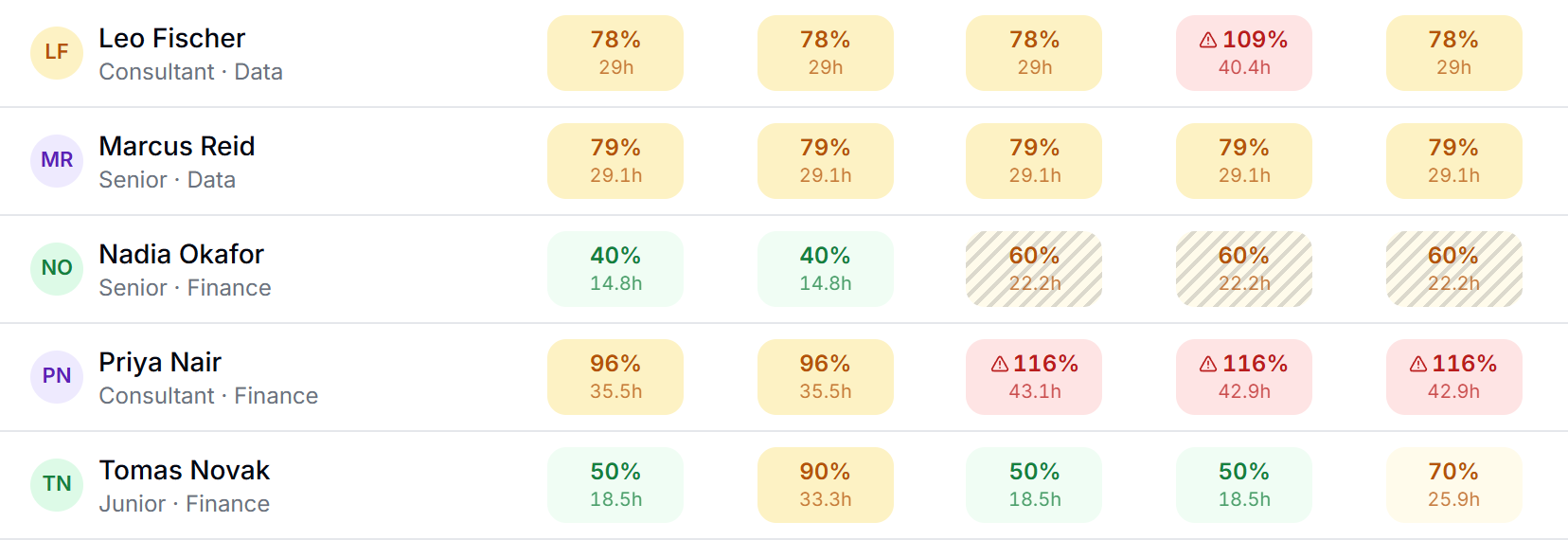
Filters on the Resources page: search employees, team, department and project.Each employee's booking per week as a percentage and in hours, with the overbooked weeks marked.

Book in hours or percent

  • Each employee on the project team with hours or a share of their time
  • Placeholders for a role before you know who fills it
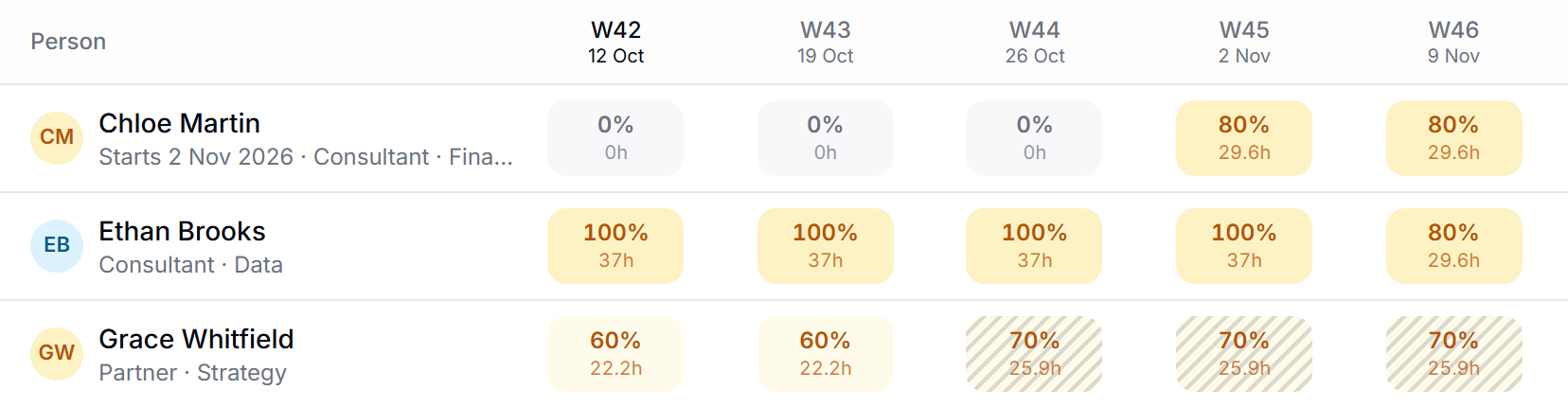
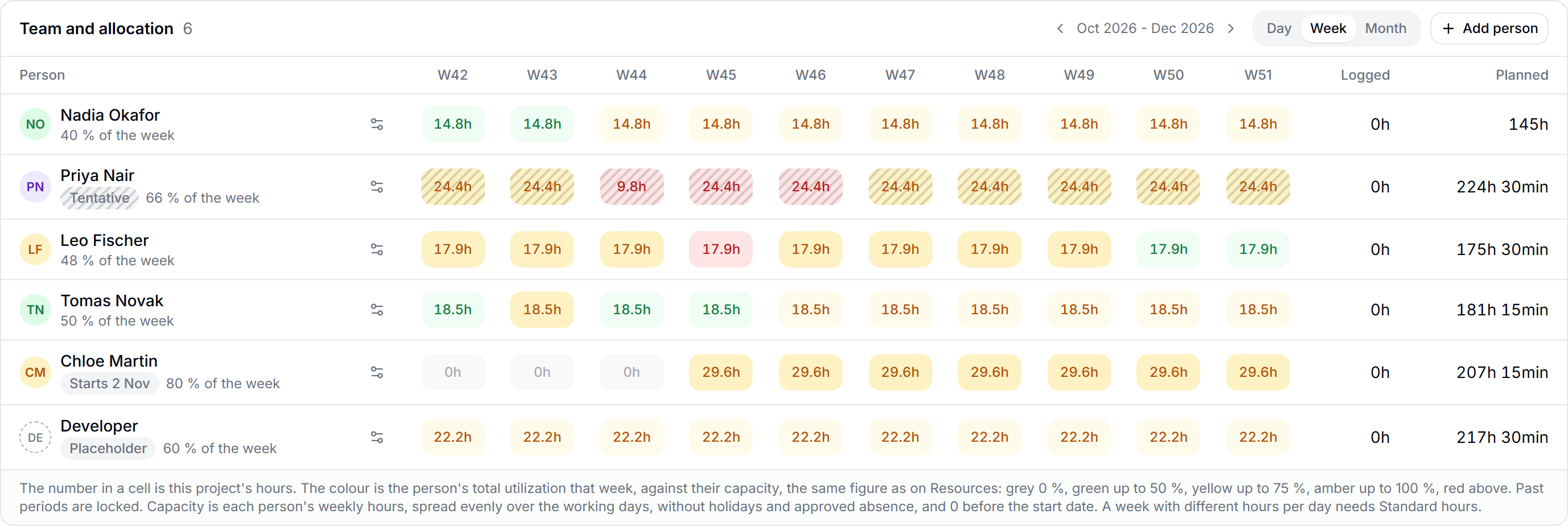
A project team with each employee's share of the week, hours per week, a tentative booking, a new hire with a start date and a placeholder for a role.

Book before the deal is won

  • Tentative bookings while a proposal is with the customer
  • You choose whether they count in capacity
Resources with tentative bookings hatched in the load, next to confirmed bookings, and the Tentative entry in the colour legend.

No surprise overbooking

  • A warning before a booking gives someone more than they have time for
  • Capacity follows working hours and each country's public holidays
The colours of the Resources page, from 0 % to over 100 %.More employees' weeks: an overbooked week in red, and lighter weeks where there is room.

See the skill gaps ahead

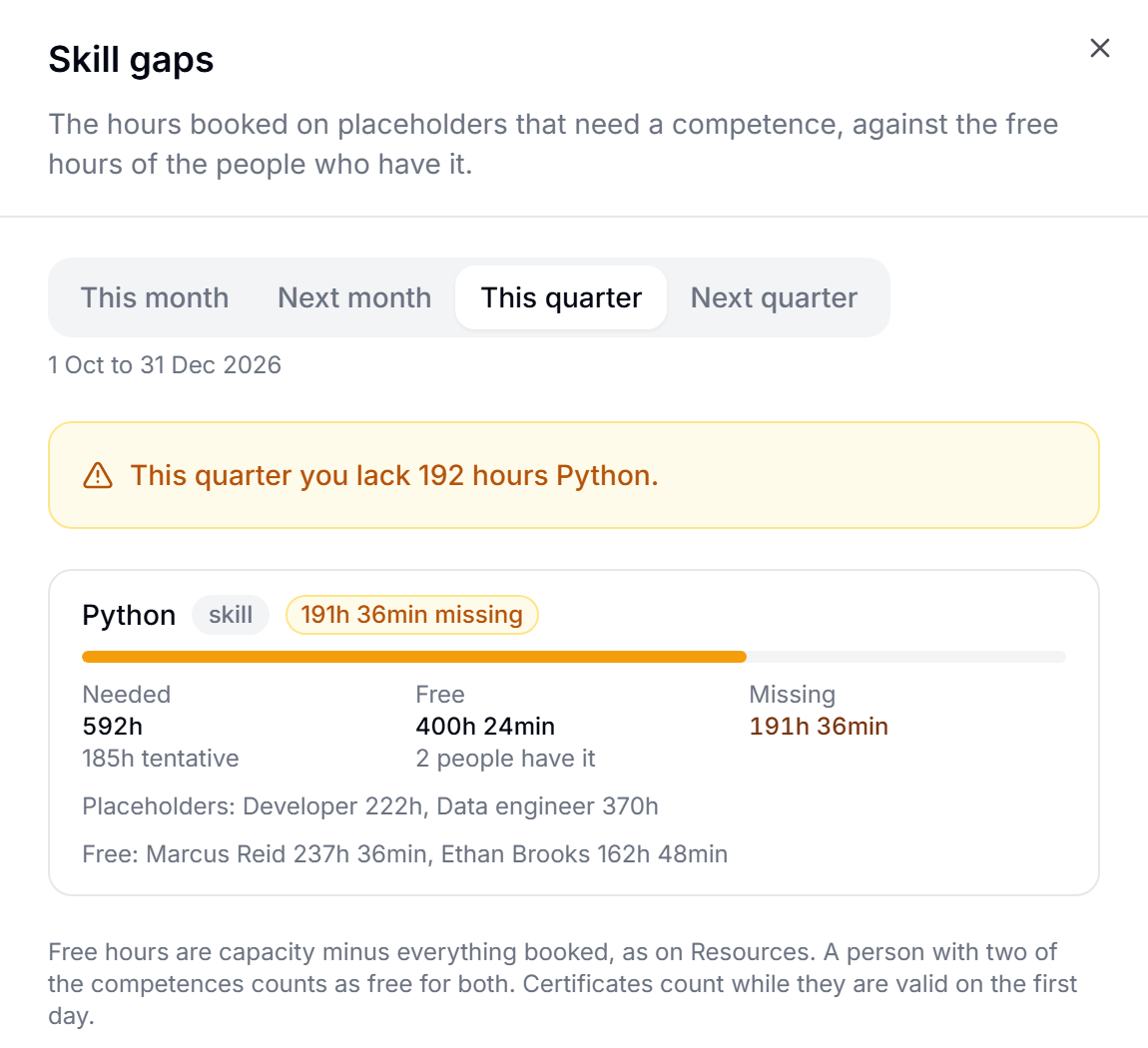
  • What placeholders need, against the free hours of employees with the skill
  • For example: this quarter you lack 192 hours of Python
The Skill gaps panel: this quarter you lack hours of Python, with the hours needed on placeholders against the free hours of the employees who have the skill.

Standard hours

Hours measured against each schedule

A weekly schedule for each employee, with holidays, overtime and undertime.

EUR 1 per employee, per month
Try it free for 7 daysSee pricing

More about Standard hours

A schedule for every employee

  • Hours for each weekday, from the date you choose
  • Schedules that repeat over 2 to 8 weeks
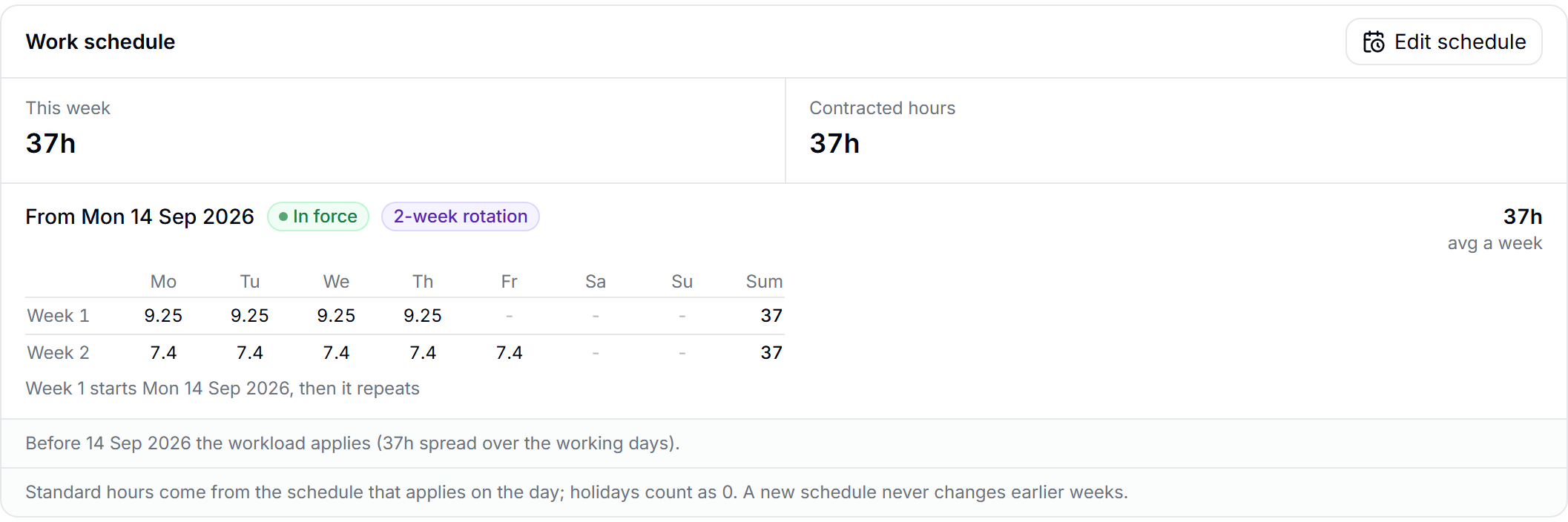
An employee's work schedule: a two-week rotation with hours for each weekday, from the date it starts.

Every day against the schedule

  • Registered time next to Standard hours, day by day
  • The difference over or under, in whole minutes
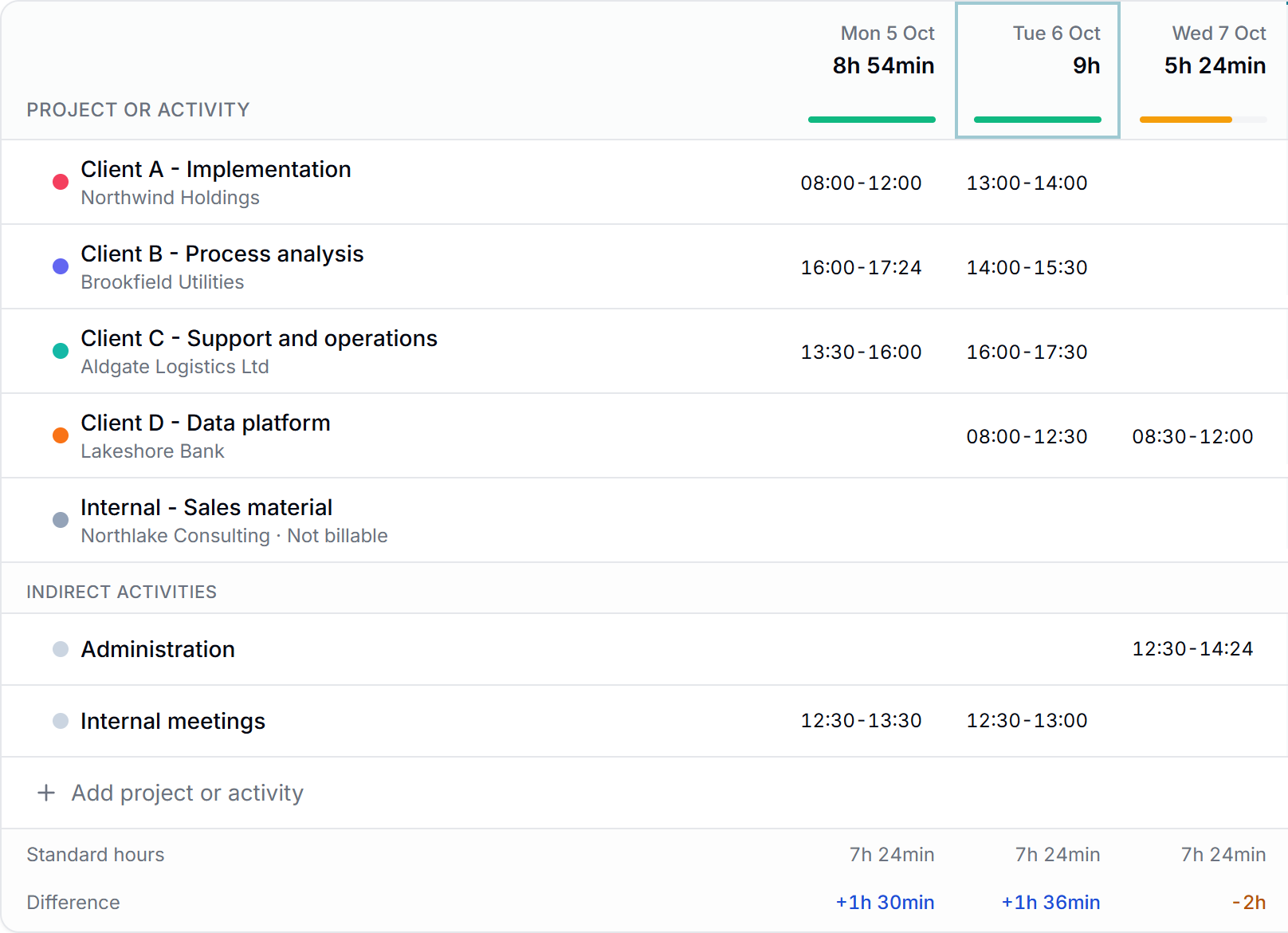
A week of registered time against Standard hours: each day's hours next to the standard, and the difference over or under in whole minutes.

Every difference explained

  • Time over or under is registered in lines, each with your own tag
  • Your rules suggest the tag, and the employee decides
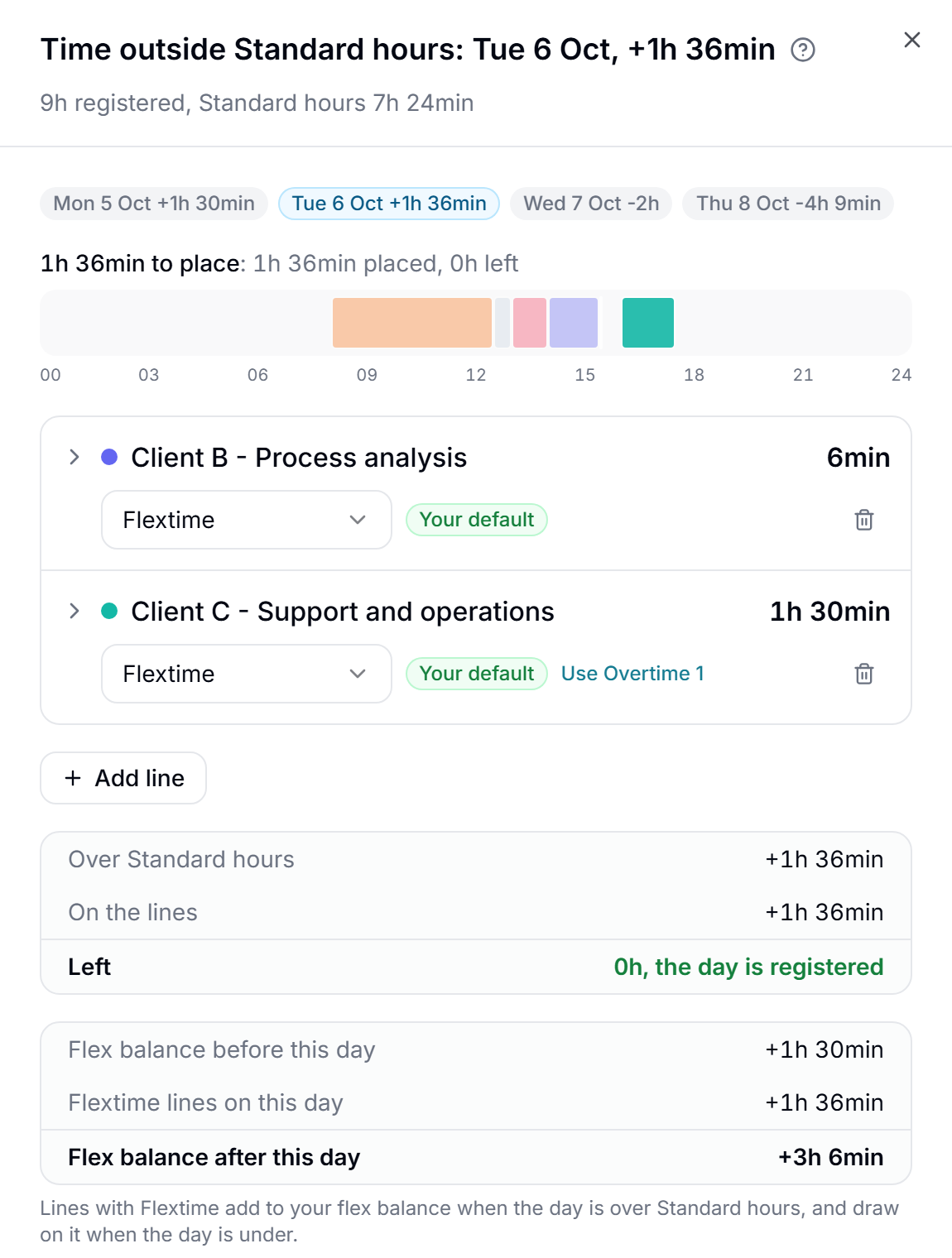
A day with time over Standard hours placed in lines, each with its own tag, and a suggested tag to use.

Flextime and the weeks per employee

  • A flex balance with a breakdown, adjusted with a reason
  • The last four weeks per employee, with the days still to register
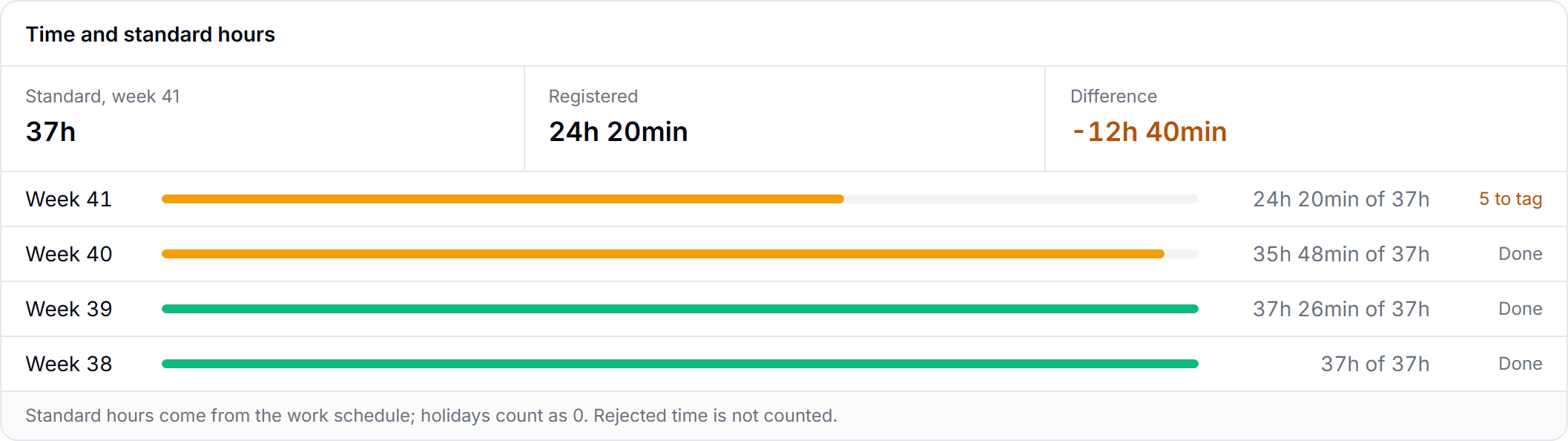
Time and Standard hours on an employee: this week's Standard hours, the registered time and the difference, and the last four weeks with the days still to tag.

Ready for payroll

  • Each tagged difference becomes its own line in the payroll file
  • Submit week can wait until every difference is registered
Submit week held back with a notice that days with time outside Standard hours are not registered yet, and a button to register them.

Project references and CV

A CV built from real projects

Every employee's CV and the firm's references come from the projects they actually worked on.

EUR 1 per employee, per month
Try it free for 7 daysSee pricing

More about Project references and CV

A CV for every consultant

  • Profile, education, experience, languages and skills with a level
  • Several versions per employee, for example one for each proposal
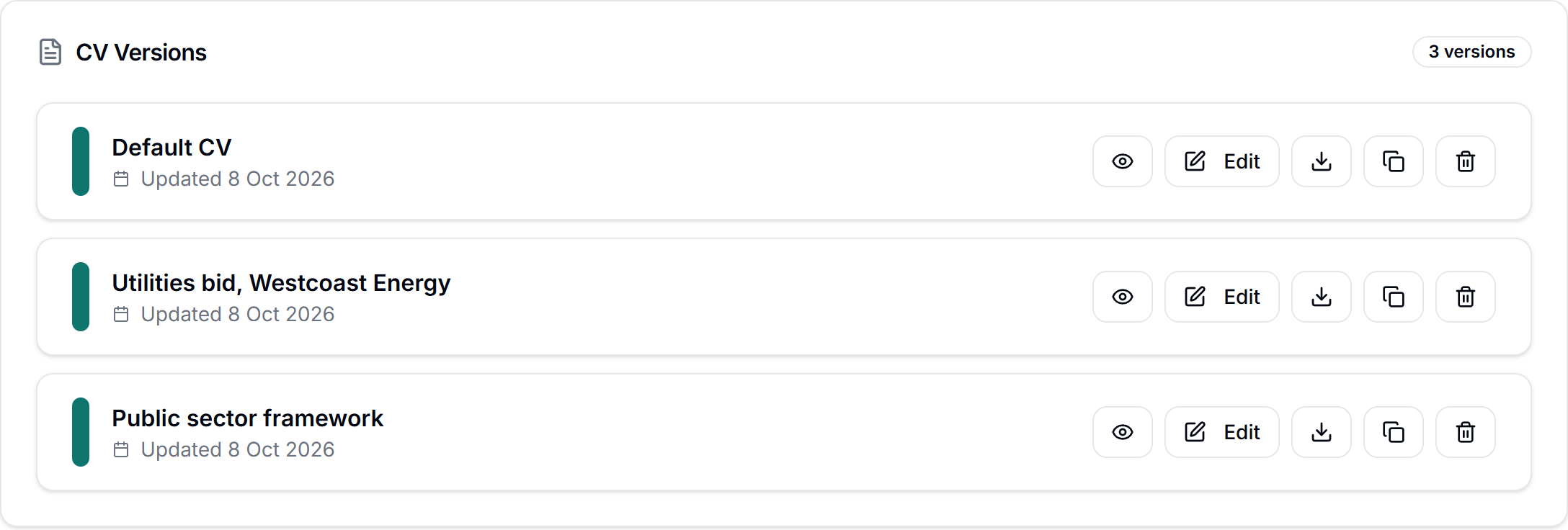
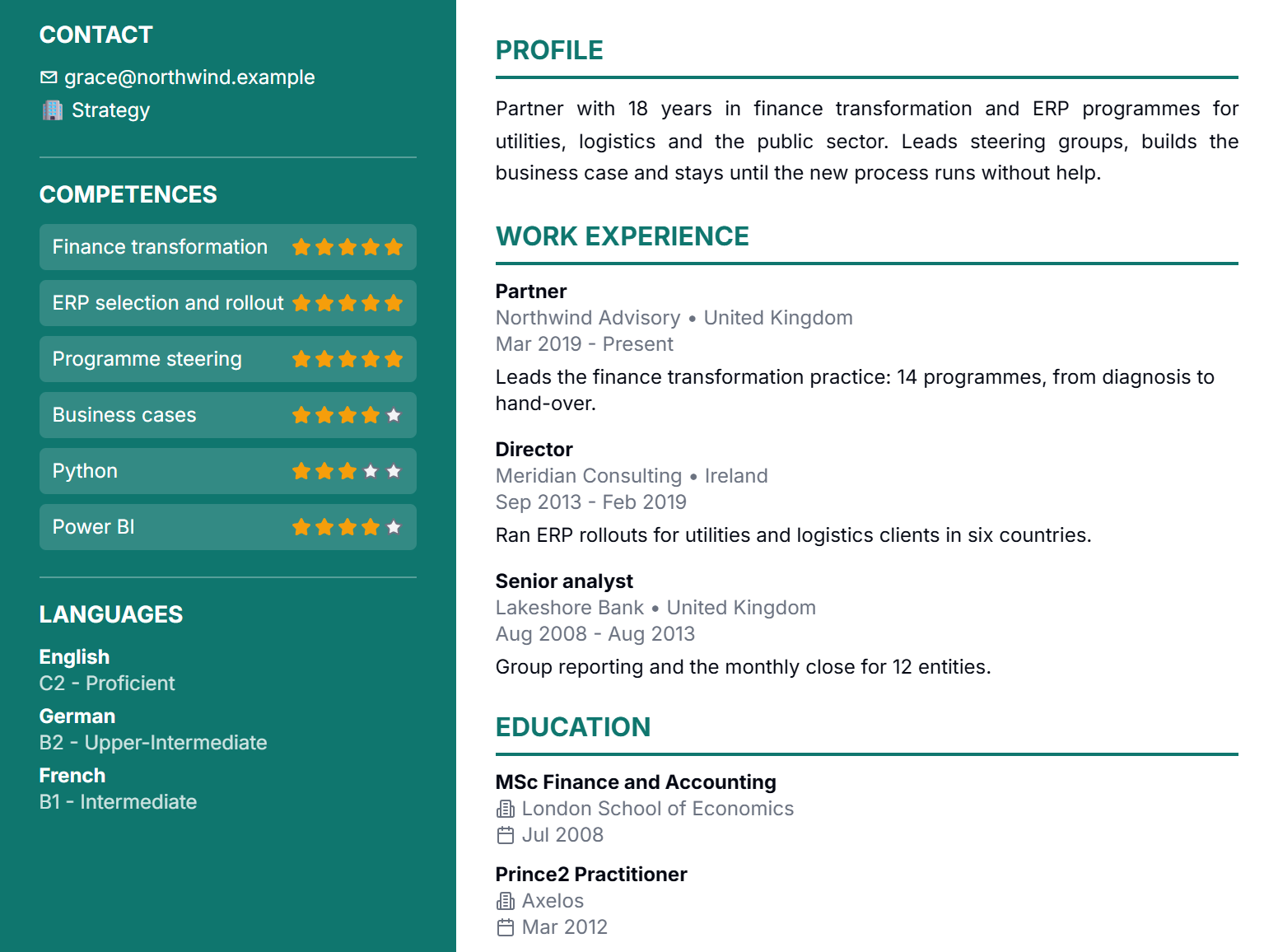
A consultant's CV in Matrix: skills with a star level, languages with their level, a profile, work experience and education.One employee's CV versions: a default CV and one for each proposal, each with preview, edit, download, copy and delete.

Ready for the bid

  • PDF and Word with your logo and colours
  • Anonymous CVs without name, photo and contact details
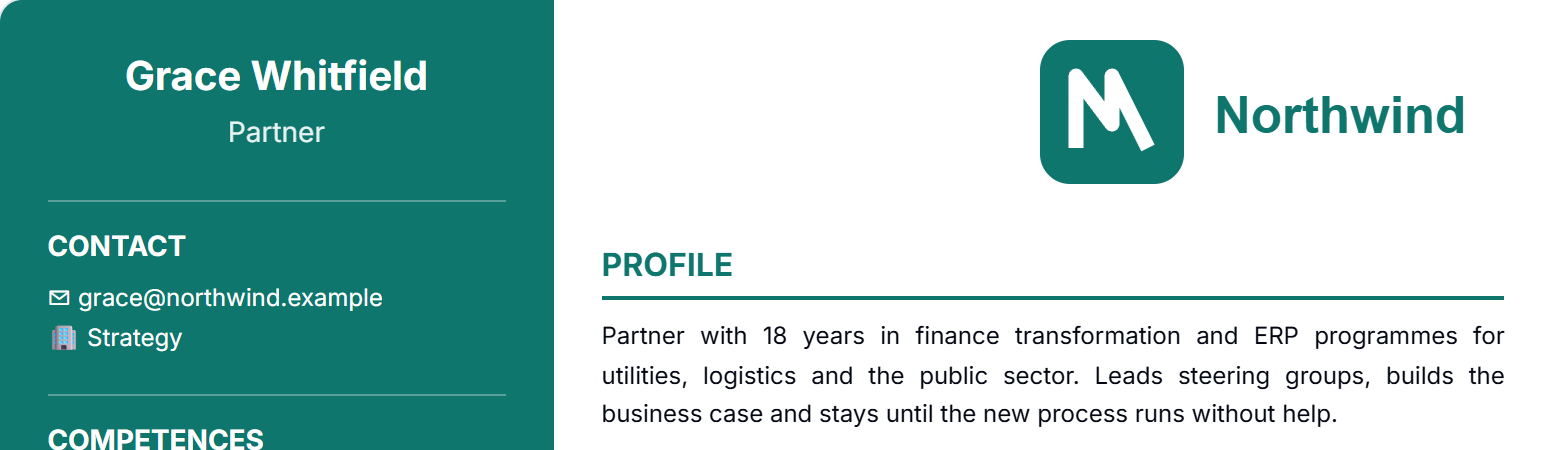
A CV with the firm's logo and colour at the top of the page.The download menu on a CV version, with Download as PDF and Download as Word.

A library of references

  • Customer, sector, region, disciplines and key figures on each reference
  • Reference sheets chosen by filter and downloaded together
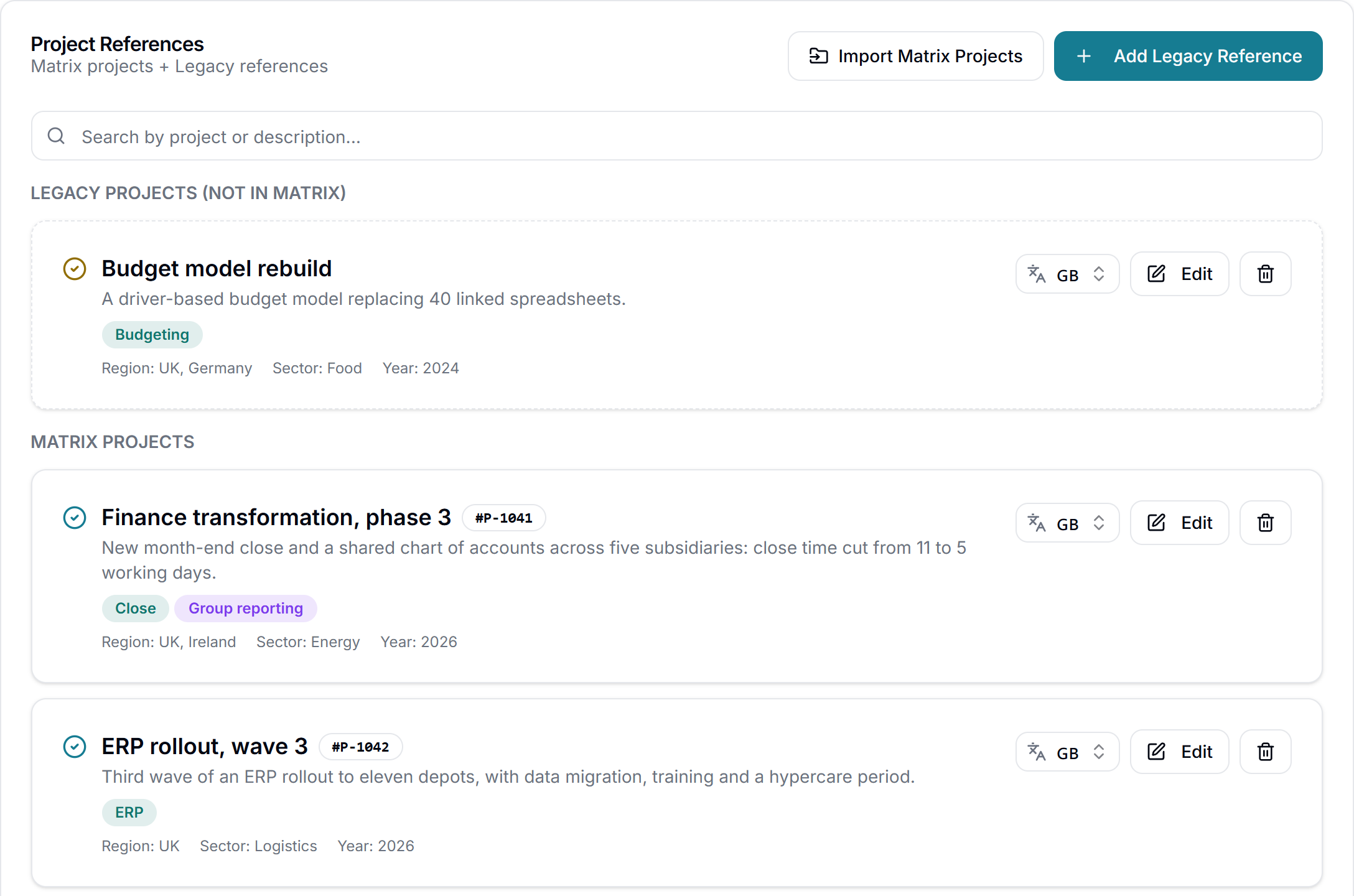
The library of project references: each with its customer project, a short description, tags, region, sector and year.

Experience the hours prove

  • Each reference on a CV gets the employee's actual hours, period and role
  • When a project closes, the employees on it are asked to add it

Hours from Timesheet, free

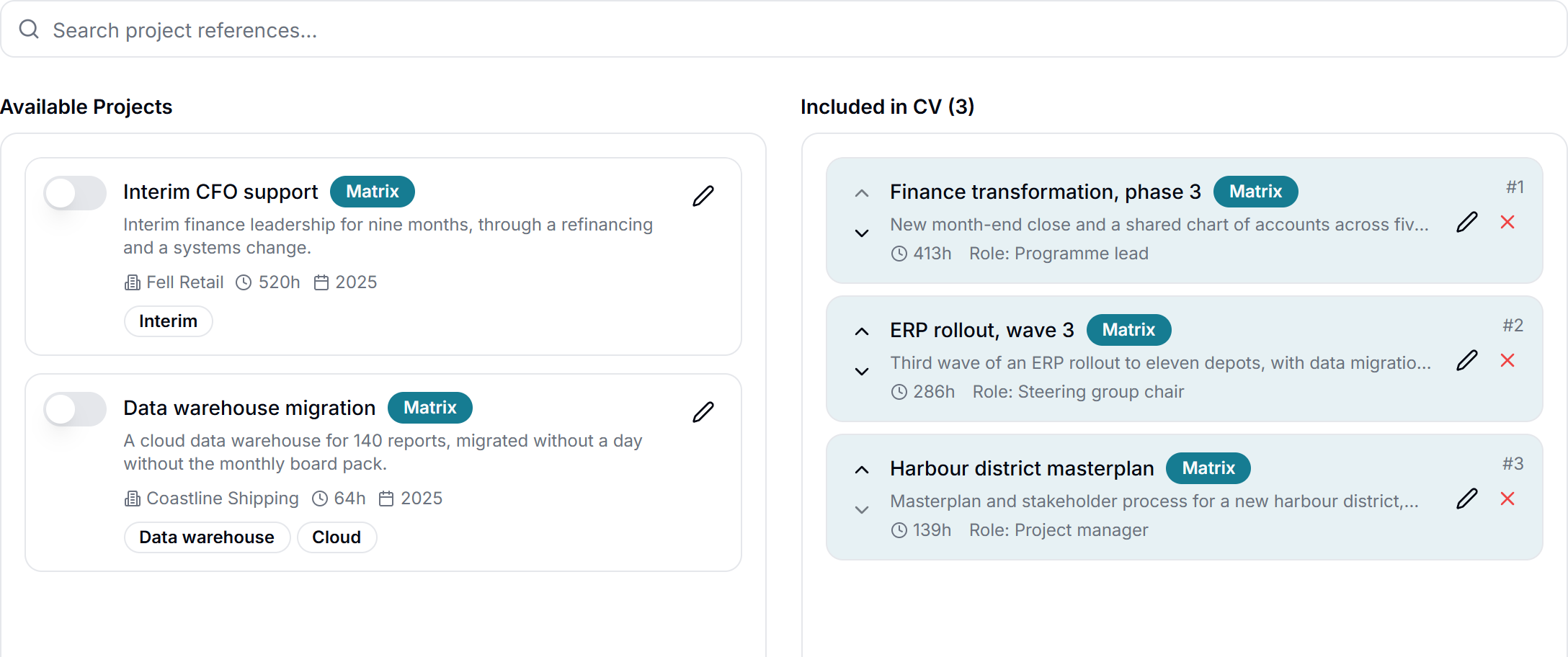
The projects an employee worked on, split into those left out and those included in the CV, each with the employee's hours, role and year.

Find the right employees fast

  • Search every CV by skill, education, language and experience
  • Several words at once
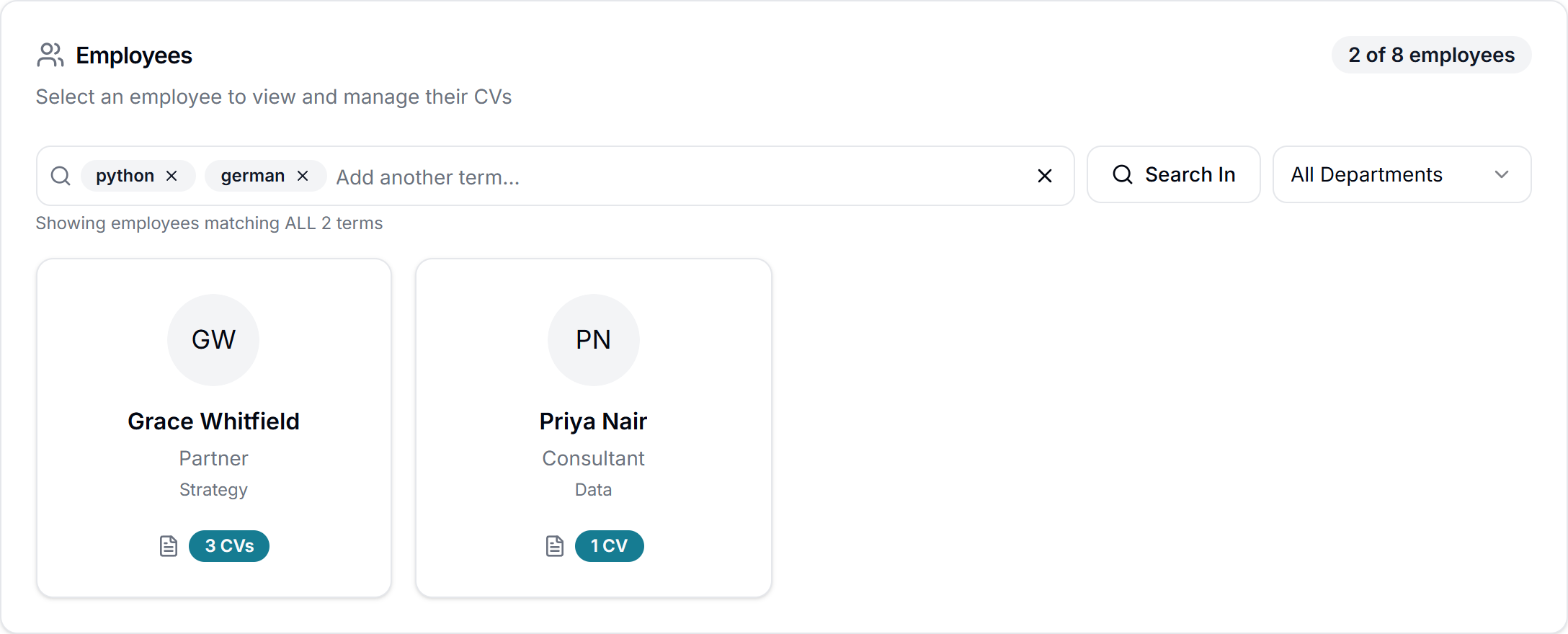
The CV search with two terms, python and german: only the employees whose CVs match both are shown.

Put together the Matrix you need

Start free, then add parts fromEUR 1per employee / month

Timesheet is free for everyone · No card needed · Pay only for the users who use a module

Matrix is made of eight parts for consulting firms. Each part works on its own, and the parts you add work together. Choose as many or as few as you need, and add more as the firm grows.

ModulesEUR 9.99 per user with access

Company-wideEUR 1 per employee

See pricing

Look around before you sign up

Open a sample workspace with real screens and sample data. It is view only, and a short tour shows you around. You only need your email.

Open the live demo

Log your first week today

Set up your workspace, invite your team and log the first week. Timesheet stays free after that, too.

Open the live demo

Free. No card needed.